End-to-end use cases
Use case: Processing telecom CDR & roaming data
This page follows one named person, step by step, as she builds a pipeline that turns the raw, cryptic files a phone network produces into clean data that billing systems, fraud teams and analysts can actually use. It is written for readers with no telecom background — every piece of jargon is unpacked the moment it appears.
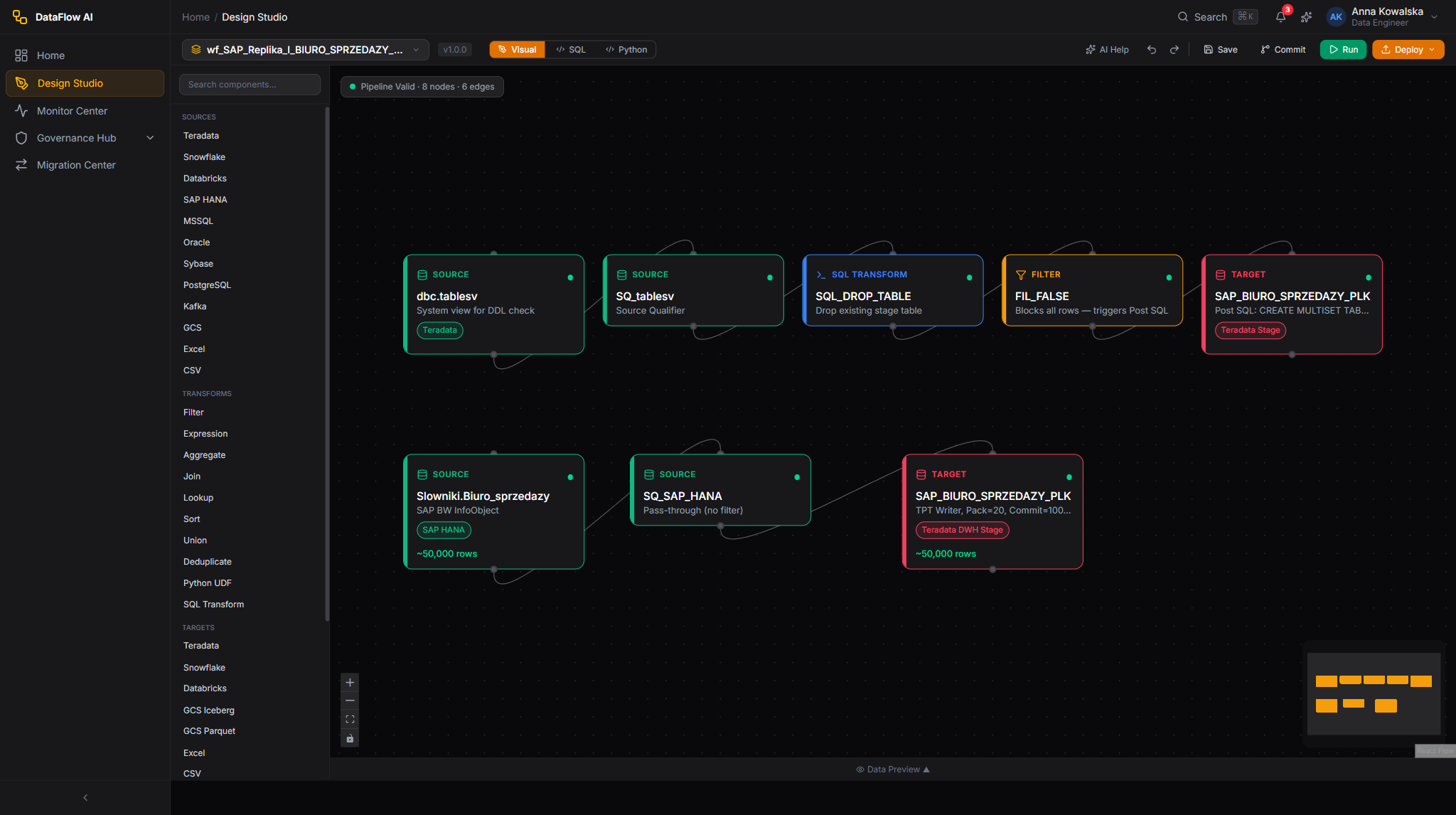
Meet the person and the problem
The builder in this story is Anna Kowalska, a Data Engineer at Polkomtel. She is supported by Tomasz Wiśniewski, a Data Steward who watches over data quality and personal-data protection, and Katarzyna Zielińska, a Platform Admin who prepares connections.
Anna's job today: take the files Polkomtel's mobile network spits out every few minutes and make them usable.
To understand why that is hard, you first need to understand what those files are.
What is a CDR?
Every time a phone does something on the network — makes a call, sends a text, uses mobile data — a piece of network equipment writes a tiny record describing it. That record is a CDR: a Call Detail Record.
A single CDR answers questions like:
- Who did it? (the subscriber's identifiers)
- What did they do? (a voice call, an SMS, a data session)
- When and for how long? (start time, duration, or megabytes used)
- Where? (which cell tower, which network)
CDRs are the raw material of a telecom company. Without them, nobody could be billed, no fraud could be spotted, and no manager could see how the network is being used.
Why CDRs are hard to read
Here is the catch. CDRs are not human-readable text files. They are binary files written in a compact technical format called ASN.1 (encoded with rules called BER or DER). Think of ASN.1 as a tightly packed suitcase: extremely space-efficient — which matters when a network produces millions of records an hour — but you cannot just open it and read it. You need a tool that knows the exact packing scheme to decode it.
The packing schemes follow international standards from a body called 3GPP (the group that defines mobile-network technology). DataFlow AI ships templates for the standard CDR types defined in 3GPP TS 32.298.
In plain terms
A CDR is the network's receipt for one phone action. ASN.1/BER is the shorthand the receipt is written in — brilliant for saving space, useless to a human until something decodes it. DataFlow AI's job in this use case is to be the decoder, and then to clean and route what comes out.
And what about roaming?
When a Polkomtel subscriber travels abroad, they use another country's network. That foreign network does the work, so Polkomtel must pay it — and the two operators must exchange records to settle up. Likewise, when a foreign visitor uses Polkomtel's network in Poland, Polkomtel bills their operator.
This exchange uses three special file formats, all of them also ASN.1-encoded:
| Format | Full name | Plain-language purpose |
|---|---|---|
| TAP3 | Transferred Account Procedure v3 | The worldwide standard "invoice file" of roaming usage, exchanged between operators in batches (daily or weekly). DataFlow AI supports TAP3.12. |
| NRTRDE | Near Real-Time Roaming Data Exchange | A faster, lighter version of TAP3 sent within hours, specifically so fraud can be caught quickly before a huge bill builds up. |
| RAP | Returned Accounts Procedure | The "dispute letter". If an operator receives a TAP3 file with errors, it sends back a RAP file rejecting the bad records or the whole file. |
In plain terms
Picture roaming as two restaurants that occasionally serve each other's regular customers. TAP3 is the monthly itemised bill one restaurant sends the other. NRTRDE is a quick same-day heads-up — "your customer just ordered a lot, you may want to check that" — which is how fraud gets caught early. RAP is the reply: "three items on your bill are wrong, we are not paying those."
The business need
Polkomtel needs the decoded CDR and roaming data for four jobs at once:
- Rating — working out the price of each call, text and data session.
- Billing — turning rated usage into customer invoices.
- Fraud detection — spotting suspicious patterns (especially in roaming) before they cost money.
- Roaming settlement — reconciling what Polkomtel owes other operators and what they owe Polkomtel.
Anna will build one pipeline that decodes the raw files, cleans and enriches them, runs fraud-oriented quality checks, and loads the result so all four teams can use it.
The shape of the pipeline
  Raw CDR files            DataFlow AI Design Studio                  Targets
 +---------------+   D   +-----------------------------------+   L   +-----------+
 | gs://.../*.cdr|------>| Normalise -> Enrich ->            |------>| Billing   |
 | (ASN.1/BER)   |       | Fraud quality checks -> Route     |       | Analytics |
 +---------------+       +-----------------------------------+       | Sub-360   |
       Decode                     Transform                            Load
- Decode — read the binary
.cdrfiles and turn each packed record into ordinary columns. - Transform — tidy the identifiers, add useful context (enrichment).
- Quality — run checks tuned to surface fraud signals and bad data.
- Load — write the result to the billing system, to an analytics warehouse, and into the Subscriber-360 view.
Step 1 — The connection: where the raw files live
Polkomtel's network elements drop their CDR files into Google Cloud Storage (GCS) — a cloud folder — by a daily convention such as gs://polkomtel-cdr-raw/{date}/.
DataFlow AI reads these with a purpose-built connector called cdr-asn1 ("Telecom CDR (ASN.1)"). This is not a generic file reader — it is the ASN.1 decoder itself, built specifically for Polkomtel. A few facts about it Anna keeps in mind:
- It is read-only. It decodes incoming files; it never writes CDR files back out.
- It accepts files ending in
.cdr,.asn1,.dator.bin. - It can read a whole folder at once using a file pattern (the default pattern is
*.cdr). - It can read from GCS, from Amazon S3, or from a local disk.
- It works out which network switch produced a file from the filename — Huawei, Ericsson or Nokia equipment — so per-vendor statistics are possible.
The Platform Admin, Katarzyna, sets up the cdr-asn1 connection once, pointing it at the GCS bucket. Anna just selects it.
Watch out
The CDR connector is read-only by design. The decoded output is converted to a tidy, columnar format called Parquet and partitioned by date and hour. You do not load data back through this connector — its only direction is "decode in".
Step 2 — Create the pipeline
Anna opens Design Studio, the visual drag-and-drop pipeline builder:
- Left sidebar → Pipelines → "+ New Pipeline".
- Name:
cdr_decode_and_enrich. - Description: "Decode network CDR files, enrich, fraud-check, load to billing and analytics."
- Mode: she chooses Batch. CDR files arrive in waves, and decoding a wave on a schedule is a batch job. (DataFlow AI can also process CDRs as a continuous stream for real-time work; this walkthrough builds the batch version, and a note later explains the streaming option.)
- Create — the canvas opens.
The canvas has the familiar four areas: the Component Palette of node types on the left, the Canvas in the centre, the Properties Inspector on the right, and the Bottom Panel (logs and previews) at the bottom. The Studio auto-saves every 30 seconds.
Step 3 — Decode: read and unpack the CDR files
Anna drags a Source node onto the canvas and chooses the Telecom CDR (ASN.1) connector. She clicks the node and configures it in the Properties Inspector.
The key settings for a CDR source:
| Setting | Anna's value | What it means |
|---|---|---|
| Connection | the cdr-asn1 GCS connection | Where the raw files live |
filePattern | *.cdr | Read every .cdr file in the folder |
templateType | auto | Let the decoder detect each record's type itself |
templateVersion | 3GPP-R15 | Which standard's field layout to use |
batchSize | 10000 | Decode records in batches of 10,000 |
skipMalformed | true | If one record is corrupt, skip it and keep going |
The templateType: auto setting is worth dwelling on. A single folder of CDR files contains many kinds of record mixed together — voice calls, SMS, data sessions, roaming events. The decoder inspects each record, reads its built-in type code, and matches it to the right template — a map that says "field 1 is the subscriber's IMSI, field 5 is the duration", and so on.
DataFlow AI knows twelve native CDR record types. The ones Anna's pipeline will mostly see:
| Record type | What it is |
|---|---|
CS_VOICE_MO / CS_VOICE_MT | A normal voice call — made (MO) or received (MT) |
CS_SMS_MO / CS_SMS_MT | A text message — sent or received |
PS_DATA | A mobile data session — carries APN, and upload/download volumes |
IMS_VOICE | A VoLTE call (voice carried over the 4G data network) |
ROAMING_IN / ROAMING_OUT | Usage by a visitor on Polkomtel's network, or by a Polkomtel subscriber abroad |
When this node runs, every packed binary record becomes a row with proper, named columns: subscriber identifiers, the calling and called numbers, start time, duration or byte counts, the cell location, a roaming indicator, and a reason the call ended.
In plain terms
The decoder is a universal translator standing at the door. Files come in speaking three different dialects of "binary telecom shorthand"; rows come out speaking plain, labelled English. From this node onward, the rest of the pipeline is ordinary, readable data work.
A note on the strange identifier fields
Telecom data has its own special field types, and the decoder handles them automatically. Three you will hear about:
- IMSI — the International Mobile Subscriber Identity. A unique number identifying the SIM card (and so, the subscriber) on any network worldwide.
- MSISDN — effectively the phone number itself (
numer telefonuin Polish). - IMEI — a number identifying the physical handset, regardless of which SIM is in it.
These are often packed in an even more compressed way (a scheme called TBCD). The decoder unpacks them; a later transform tidies their formatting.
Step 4 — Transform: normalise and enrich
Decoded CDRs are usable but still rough. Anna adds two transform nodes.
4a. Normalise — make the phone numbers consistent
Phone numbers in raw CDRs appear in many shapes: a local 0 prefix, an international code, packed digits. Billing and fraud systems need them in one consistent shape — the international E.164 format, which for Poland looks like +48 followed by nine digits.
Anna drags an Expression node (a node that calculates or reformats columns) and applies the platform's built-in normalize_msisdn() function to the calling and called numbers. After this node, every phone number in the dataset looks identical in structure, whatever shape it arrived in.
She also uses extract_date() and extract_time() to split the record's timestamp into clean date and time columns — handy for partitioning and reporting later.
4b. Enrich — add context the raw record lacks
A raw CDR knows a subscriber's IMSI but not their tariff plan; it knows a cell ID but not the city that cell covers. Enrichment means joining the CDR data to reference tables so each record carries the context the downstream teams need.
Anna adds Join nodes (a Join lines up two datasets on a shared column) to bring in:
- The subscriber's tariff and segment, joined from a customer reference table on IMSI — so rating can apply the right prices.
- The cell location's region or city, joined from a network reference table — so analysts can see usage geographically.
After enrichment, each row is a self-contained, fully-described event: who, what, when, where, on which plan, in which region.
In plain terms
A raw CDR is like a photo with no caption. Enrichment writes the caption — the person's name, the place, the date in words — by looking each detail up in a reference list and attaching it. The fraud and billing teams need the captioned photo, not the bare image.
Step 5 — Quality checks tuned for fraud and correctness
This is where Anna's pipeline earns its keep. Before any decoded data is allowed downstream, a Quality node runs automatic checks. Some catch ordinary data errors; some are deliberately aimed at fraud indicators.
She drags a Quality node after the enrichment and configures rules from DataFlow AI's ten rule types:
| Check | Rule type | Why it matters |
|---|---|---|
| Subscriber IMSI is always present | NOT_NULL | A record with no subscriber cannot be billed |
| Call duration is within sane bounds | RANGE | A 30-hour "call" is almost certainly a fault or fraud |
| Phone number matches the E.164 pattern | REGEX | Catches numbers the normaliser could not fix |
| No duplicate record IDs | UNIQUE | Duplicates would bill a customer twice |
| Roaming volume is not absurdly high | STATISTICAL | A sudden huge spike abroad is a classic fraud signal |
| Files actually arrived this hour | FRESHNESS | A silent gap means a network feed has stalled |
Each rule gets a severity (Critical, Warning, Info) and a setting for whether a failure blocks the pipeline. Anna makes the NOT_NULL and UNIQUE checks Critical / block — billing data must never be wrong — and the STATISTICAL roaming-spike check a Warning, so it raises an alert for the fraud team without halting the whole load.
The fraud angle here is real and specific. Roaming fraud works by running up enormous charges abroad fast, before the home operator notices. That is exactly why the NRTRDE format exists — it delivers roaming data in near-real-time. Anna's statistical and range checks on roaming records are the automated tripwires that turn that fast data into a fast alert.
Watch out
Quality rules run on every execution. CDR feeds are high-volume and unattended — a malformed batch from one switch, or a doubled feed, can pour millions of bad rows toward the billing system in minutes. The quality node is the gate that stops that happening. Tomasz the Data Steward also watches the CDR domain's quality score from the Governance Hub, and anomaly detection flags unusual results automatically.
Personal data is masked here too
CDRs are full of personal data — phone numbers, subscriber IDs, locations. DataFlow AI's PII scanner classifies these automatically (MSISDN, IMSI/IMEI and location are recognised categories). Where a downstream consumer should not see raw identifiers, Anna adds an Expression node to mask them, and DataFlow AI applies role-based masking at display time. Polish telecom law requires CDRs be retained for seven years; the platform's retention rules enforce that. Tomasz reviews all of this from the Governance Hub.
Step 6 — Route and Load: feed the four consumers
The decoded, enriched, quality-checked data now needs to reach several teams at once. Anna adds a Router node — a node that sends rows down different paths depending on a condition — and three Sink nodes.
- Billing — voice, SMS and data records flow to the billing/rating system so customers can be invoiced. Anna writes these to a database sink in Upsert mode (update existing records, insert new ones).
- Analytics — a full copy goes to an analytics warehouse (BigQuery, Snowflake or Teradata) for reporting on network usage and revenue. This sink uses Append mode, because analytics history only grows.
- Roaming settlement —
ROAMING_INandROAMING_OUTrecords are routed to a dedicated table used to reconcile against incoming TAP3 files and to generate RAP rejections where a foreign operator's TAP3 file contains errors.
She clicks Validate, then Run → Run Now for a test. The nodes light up, the Console streams decode counts, and a few seconds later the run finishes green. Anna checks the billing table and sees clean, normalised, enriched rows. The pipeline works.
Step 7 — The Subscriber-360 angle
One of the most valuable things this pipeline unlocks is Subscriber-360 — a single, complete view of everything one subscriber does.
On their own, CDRs are scattered: voice records in one place, data records in another, roaming events in a third, all keyed by cryptic identifiers. Once Anna's pipeline has decoded, normalised and enriched them — so every record carries a clean phone number, a tariff, a region and a date — they can all be tied back to the same subscriber.
Loaded into the analytics warehouse, that gives the business a 360-degree picture per customer: their calling habits, their data appetite, their roaming behaviour, their typical locations. That single view powers:
- Churn prediction — spotting customers likely to leave.
- Personalised offers — matching tariffs to real usage.
- Fraud profiling — recognising when a subscriber's behaviour suddenly looks unlike their own history.
None of that is possible while the data is locked inside binary ASN.1 files. The decode-and-enrich pipeline is the key that unlocks it.
In plain terms
Subscriber-360 is the difference between a shoebox of unsorted receipts and a tidy ledger. The receipts (raw CDRs) contain everything — but only once they are decoded, dated and labelled can you flip to one person's page and see their whole story at a glance.
Step 8 — The pipeline as YAML
Everything Anna built by dragging nodes is stored as a single human-readable YAML file, automatically committed to Git on every save. She can view and edit it directly through the YAML tab; the visual canvas and the YAML stay in sync. Here is the finished pipeline:
apiVersion: dataflow.polkomtel.com/v1
kind: Pipeline
metadata:
  name: cdr-decode-and-enrich
  namespace: network-operations
  labels:
    domain: cdr
    purpose: rating-billing-fraud
  annotations:
    description: Decode network CDR files, enrich, fraud-check, load to billing and analytics
    owner: anna.kowalska@plk.pl
    sla: "hourly"
spec:
  schedule: "15 * * * *"
  timezone: Europe/Warsaw
  enabled: true
  timeout: 3600
  retries: 3
  retryDelay: 300
  parameters:
    - name: cdr_date
      type: date
      default: "{{today}}"
      description: The date-partitioned CDR folder to process

  nodes:
    - id: src_cdr
      type: connector_source
      label: Decode CDR files (ASN.1/BER)
      config:
        connector: cdr-asn1
        filePattern: "*.cdr"
        templateType: auto
        templateVersion: "3GPP-R15"
        batchSize: 10000
        skipMalformed: true

    - id: src_subscriber
      type: connector_source
      label: Subscriber reference
      config:
        connector: teradata
        table: REFERENCE.SUBSCRIBER_DIM

    - id: src_network
      type: connector_source
      label: Cell-to-region reference
      config:
        connector: teradata
        table: REFERENCE.CELL_LOCATION_DIM

    - id: normalise
      type: expression
      label: Normalise numbers and timestamps
      config:
        expressions:
          - "calling_number = normalize_msisdn(calling_number)"
          - "called_number  = normalize_msisdn(called_number)"
          - "event_date     = extract_date(record_timestamp)"
          - "event_time     = extract_time(record_timestamp)"

    - id: enrich_subscriber
      type: joiner
      label: Add tariff and segment
      config:
        leftInput: normalise
        rightInput: src_subscriber
        joinType: LEFT
        on: "served_imsi = imsi"

    - id: enrich_location
      type: joiner
      label: Add region and city
      config:
        leftInput: enrich_subscriber
        rightInput: src_network
        joinType: LEFT
        on: "cell_id"

    - id: quality_gate
      type: quality
      label: Fraud and correctness checks
      config:
        rules:
          - { type: NOT_NULL, column: served_imsi, severity: CRITICAL, blockPipeline: true }
          - { type: UNIQUE,   column: record_id,   severity: CRITICAL, blockPipeline: true }
          - { type: RANGE,    column: duration_seconds, min: 0, max: 86400, severity: HIGH, blockPipeline: false }
          - { type: REGEX,    column: calling_number, pattern: "^\\+48[0-9]{9}$", severity: MEDIUM, blockPipeline: false }
          - { type: ANOMALY,  column: roaming_volume_mb, metric: mean, sigmaThreshold: 3, lookbackDays: 30, severity: HIGH, blockPipeline: false }
          - { type: FRESHNESS, timestampColumn: record_timestamp, maxAgeHours: 2, severity: MEDIUM, blockPipeline: false }

    - id: split_by_type
      type: router
      label: Route by record type
      config:
        routes:
          - { condition: "record_type IN ('ROAMING_IN','ROAMING_OUT')", target: load_roaming }
          - { condition: "true", target: load_billing }

    - id: load_billing
      type: connector_sink
      label: Billing / rating system
      config:
        connector: oracle
        table: BILLING.RATED_USAGE
        writeMode: UPSERT
        upsertKeys: [record_id]
        batchSize: 10000

    - id: load_analytics
      type: connector_sink
      label: Analytics warehouse (Subscriber-360)
      config:
        connector: bigquery
        table: analytics.cdr.subscriber_events
        writeMode: APPEND
        batchSize: 20000

    - id: load_roaming
      type: connector_sink
      label: Roaming settlement table
      config:
        connector: teradata
        table: ROAMING.SETTLEMENT_EVENTS
        writeMode: UPSERT
        upsertKeys: [record_id]

  edges:
    - { from: src_cdr,           to: normalise }
    - { from: normalise,         to: enrich_subscriber }
    - { from: src_subscriber,    to: enrich_subscriber }
    - { from: enrich_subscriber, to: enrich_location }
    - { from: src_network,       to: enrich_location }
    - { from: enrich_location,   to: quality_gate }
    - { from: quality_gate,      to: split_by_type }
    - { from: quality_gate,      to: load_analytics }
    - { from: split_by_type,     to: load_billing }
    - { from: split_by_type,     to: load_roaming }

  notifications:
    onSuccess:
      - channel: email
        message: "CDR decode complete for {{parameters.cdr_date}}"
    onFailure:
      - channel: pagerduty
        message: "FAILED: CDR decode pipeline for {{parameters.cdr_date}}"
You never have to write this by hand — Design Studio produces it as you drag nodes. But because it is plain text in Git, the pipeline is reviewable, comparable across versions, and recoverable.
Step 9 — Schedule it
CDR files arrive constantly, so Anna schedules the pipeline to run every hour. In Pipeline Settings she sets the cron expression:
15 * * * *
That means "at minute 15 of every hour" — giving each hour's batch of files time to land before the run starts. If a run fails, the pipeline retries three times and the onFailure notification pages the on-call team through PagerDuty.
The streaming alternative
For the fastest fraud detection, the same logic can run as a streaming pipeline instead of an hourly batch. In Streaming mode the CDR connector feeds records continuously into an Apache Flink engine, processing each record within seconds of the file landing. Anna's pipeline here is the hourly batch version; if Polkomtel later needs sub-second roaming-fraud alerts, the team would build a streaming variant using the same decode-and-enrich steps.
What Anna built, summarised
| Stage | Node type | Purpose |
|---|---|---|
| 1 | connector_source (cdr-asn1) | Decode binary ASN.1 CDR files into rows |
| 2 | expression | Normalise phone numbers to E.164, split timestamps |
| 3 | joiner ×2 | Enrich with subscriber tariff and cell location |
| 4 | quality | Block bad data; flag fraud signals |
| 5 | router | Split roaming records from ordinary usage |
| 6 | connector_sink ×3 | Load to billing, analytics, and roaming settlement |
| 7 | schedule + notifications | Run hourly, page on failure |
From cryptic binary files that no human could read, Anna's single pipeline now produces clean data that bills customers, catches fraud, settles roaming accounts with foreign operators, and builds a complete Subscriber-360 picture — all automatically, every hour. That is the telecom CDR use case, end to end.