

Introduction
Getting started
DataFlow AI is the data-integration and modernization platform for Polkomtel's "Plus" telecom estate — a polyglot microservices product that lets engineers, analysts, stewards, and admins build, run, govern, and migrate ETL/ELT pipelines, all assisted by an LLM-powered copilot.
Architecture
How the polyglot microservices, API gateway, shared database, and event streaming fit together.
Feature guide
Click-by-click tours of Design Studio, Monitor, Governance, Migration, and the AI Copilot.
API reference
The /api/v1 gateway surface, authentication, identity headers, and per-service endpoints.
Deployment
Run the full stack locally with Docker Compose, or deploy to the production VPS topology.
What DataFlow AI is
DataFlow AI is an ETL/ELT data-integration and modernization product built specifically for Polkomtel, the operator of Poland's "Plus" mobile network. It replaces a fragmented landscape of legacy ETL tools and hand-maintained scripts with a single, governed platform for moving data between Polkomtel's telecom systems — CRM, billing, network, and call-detail-record (CDR) domains spread across Teradata, Snowflake, SAP HANA, Databricks, and Microsoft SQL Server.
The platform is a polyglot microservices monorepo. Its package root is com.polkomtel.dataflow, and it combines:
- A JVM platform of Kotlin + Spring Boot 3.3.5 services on Java 21.
- Two Python 3.12 / FastAPI AI services — the copilot and the migration engine.
- A React 19 + Vite + TypeScript single-page application.
- A Go CLI (
dataflow) and a browser extension.
Everything is fronted by a single reactive API gateway that authenticates every request against Keycloak and proxies it to the right downstream service.
Who this documentation is for
These docs serve Polkomtel's four operating personas — Data Engineers, Business Analysts, Platform Admins, and Data Stewards — as well as anyone building, deploying, or extending the platform itself.
The problem it solves
Polkomtel's data teams faced four recurring problems. DataFlow AI is organized around solving each of them.
| Problem | DataFlow AI capability |
|---|---|
| Building and running ETL/ELT pipelines is slow and inconsistent | Visual Design Studio with synchronized Visual/SQL/Python editing over a canonical YAML pipeline definition |
| Hundreds of legacy ETL workflows are locked into Informatica PowerCenter and Alteryx | The Migration Center uses AI to convert legacy workflows into DataFlow YAML pipelines |
| Data governance, lineage, and GDPR/Polish-compliance obligations are hard to evidence | The Governance Hub provides column-level lineage, quality monitoring, a review queue, and an immutable hash-chained audit log |
| Diagnosing pipeline failures across 500+ pipelines takes too long | The Monitor Center plus an AI Copilot that performs root-cause analysis and suggests fixes |
The platform targets Polkomtel's real scale: 500+ production pipelines, 500+ Informatica PowerCenter workflows, and 50–100 Alteryx workflows awaiting migration.
High-level capabilities
Pipeline design and execution
Pipelines are authored as directed acyclic graphs (DAGs) and persisted as YAML. The pipeline engine compiles the YAML into an execution DAG, validates it for cycles and dangling nodes, and runs tasks in topological order — in parallel within each DAG level. Execution can be pushed down to Apache Flink or Spark/Dataproc, delegated to external orchestrators such as Airflow, or run natively. A self-healing service classifies failures and applies recovery strategies.
Connectivity
A pluggable connector SDK ships 21 connector implementations covering JDBC databases (Teradata, Snowflake, SAP HANA, Oracle, MS SQL, PostgreSQL, MySQL, Databricks), file formats (Parquet, Avro, Excel, CSV, JSON, XML), cloud object stores (GCS, S3, Azure Blob), and streaming sources (Kafka, Pub/Sub, Azure Event Hubs) — including change data capture via Debezium.
Governance and compliance
Column-level data lineage, dynamic PII masking, data-quality rules, a governance review queue, GDPR DSAR handling, retention policy, and a cryptographically hash-chained immutable audit log. Schedules default to the Europe/Warsaw timezone.
AI copilot
A Claude-powered copilot does natural-language-to-pipeline generation, natural-language-to-SQL, conversational debugging, retrieval-augmented (RAG) catalog search, and root-cause analysis. The LLM provider is pluggable — Anthropic, OpenRouter, or a local model.
Observability
Prometheus metrics, Grafana dashboards, OpenTelemetry tracing, OpenLineage events, and real-time SSE and WebSocket streams that drive live pipeline run logs and alerts in the UI.
Heads up
DataFlow AI uses a shared PostgreSQL database across all services, isolated by per-service Flyway migration histories and table prefixes. This is closer to a distributed monolith over one database than fully autonomous microservices — keep it in mind when reasoning about scaling and deployment.
The product surface
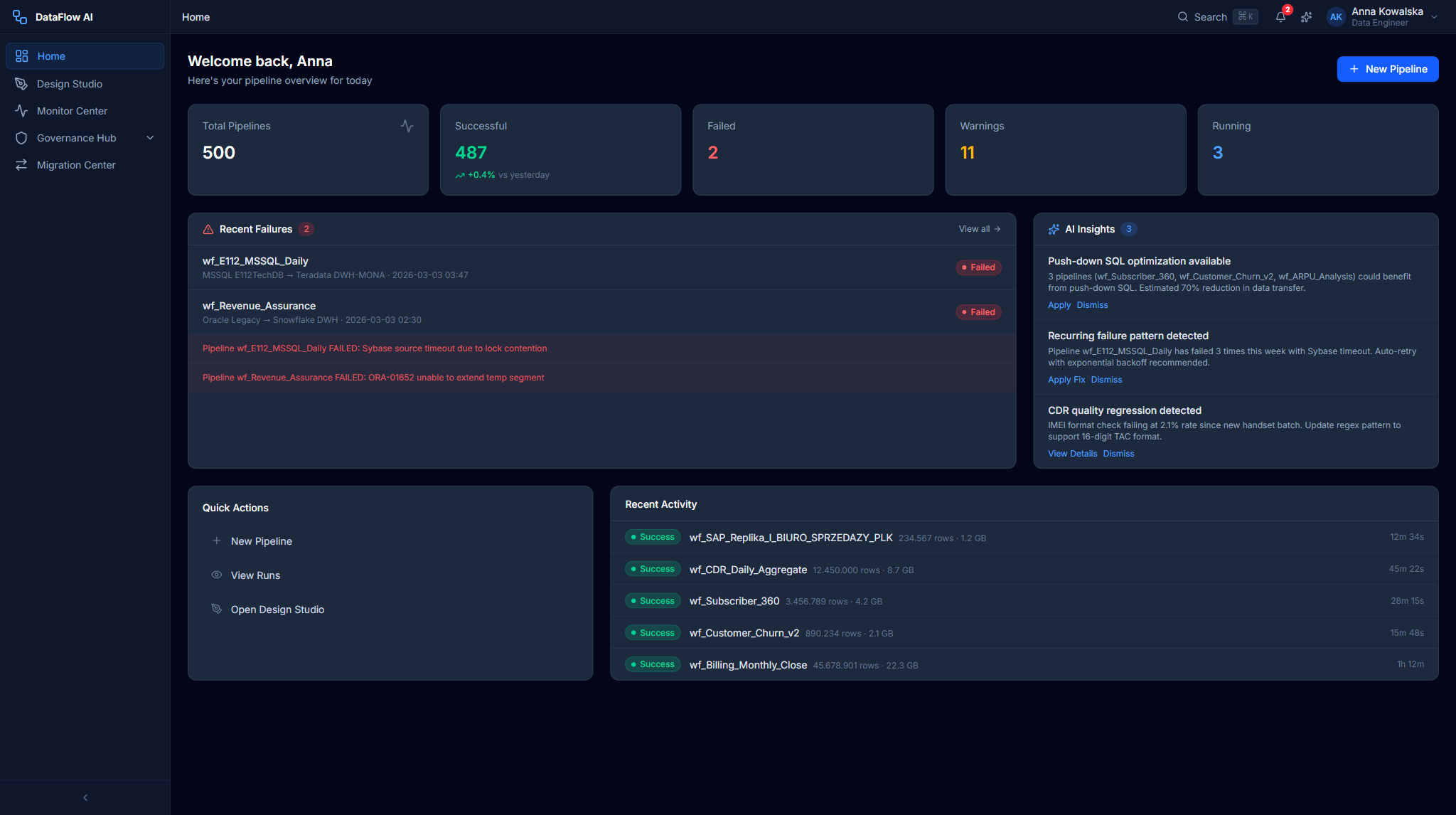
The frontend is a role-adaptive SPA: navigation items are hidden (not greyed) for personas that don't use them. The major surfaces are:
| Surface | Route | What it does |
|---|---|---|
| Home Dashboard | /dashboard | Role-adaptive landing page — KPI tiles, recent activity, and quick actions tuned per persona |
| Design Studio | /design-studio | Visual node-based pipeline builder with synchronized Visual / SQL / Python modes |
| Monitor Center | /monitor | Pipeline runs, performance analytics, alerts, and logs with AI failure diagnosis |
| Governance Hub | /governance | Lineage explorer, quality monitoring, review queue, glossary, and audit trail |
| Administration Console | /admin | Users, security, infrastructure, cost, and environment management |
| Migration Center | /migration | AI-assisted conversion of Informatica and Alteryx workflows to DataFlow YAML |
| AI Copilot | overlay | Omnipresent chat, inline code suggestions, and proactive insights |
| Data Browser / Catalog | /data-browser | Search and explore every table and column across the data estate |
| Connector Marketplace | /marketplace | Browse and install data connectors |
| Pipeline Templates | /templates | Instantiate pre-built pipeline templates |
| My Pipelines | /pipelines | Manage your own pipelines — run, edit, delete |
| Onboarding | /onboarding | Guided six-step first-run wizard |
The four personas
The UI adapts to whichever persona is active. Each persona sees a different dashboard layout and a different set of navigation modules.
| Persona | Role | Primary modules |
|---|---|---|
| Anna Kowalska | Data Engineer | Design Studio, Monitor, Data Browser, Migration, AI Copilot, Lineage |
| Marek Nowicki | Business Analyst | Design Studio, Monitor, Data Browser, AI Copilot |
| Katarzyna Zielińska | Platform Admin | Monitor, Migration, Administration, Cost, Users, Audit |
| Tomasz Wiśniewski | Data Steward | Governance Hub, Data Browser, Quality, Lineage, Audit, AI Copilot |
How to navigate these docs
The documentation is organized into three tracks. Start with whichever matches what you need to do.
Understand the system
Read the Architecture guide for the microservice inventory, ports, request flows, and integration patterns; the Technology stack page for every language, framework, and library; and the Installation guide to run the platform on your own machine.
Use the product
The feature guides walk each surface click-by-click. Begin with the Home Dashboard, then move to Design Studio (the core pipeline builder), the Monitor Center, the Governance Hub, and the Migration Center. The AI Copilot guide explains the platform-wide intelligence layer.
Integrate with the API
The API reference documents the /api/v1 gateway surface — authentication, the X-User-* identity headers injected by the gateway, rate limiting, and the per-service endpoints exposed by metadata, pipeline-engine, lineage, monitor, copilot, and migration-engine.
A quick start
New to the platform? Read Getting started (this page), then the Architecture guide, then run the stack locally with Installation & local setup. From there, the Feature guide tour of Design Studio shows the product end-to-end.
Conventions used in these docs
- Inline code marks file paths, route paths, environment variables, and identifiers — for example
backend/docker-compose.yml,/api/v1/pipelines, orLLM_PROVIDER. - Fenced code blocks carry a language tag and contain real commands, configuration, or wireframes.
- UI screens are drawn as ASCII wireframes inside code blocks rather than screenshots, so the docs stay accurate as the UI evolves.
- Tables are used liberally for inventories — services, ports, libraries, and endpoints.
Every fact in this documentation is sourced from the DataFlow AI monorepo. Where the click-dummy specification and the shipped application diverge, both are noted.