ETL on DataFlow
Connector catalog
A connector is a plug-in that teaches the DataFlow AI Platform how to talk to one kind of external system — a database, a cloud data warehouse, a streaming bus, a file store, a SaaS application, or a telecom record format. Every pipeline reads from a connector and writes to a connector. This page is the complete reference for all 21 built-in connectors that ship with the platform, grouped by category, with the configuration parameters, authentication methods, and capabilities of each.
How connectors work
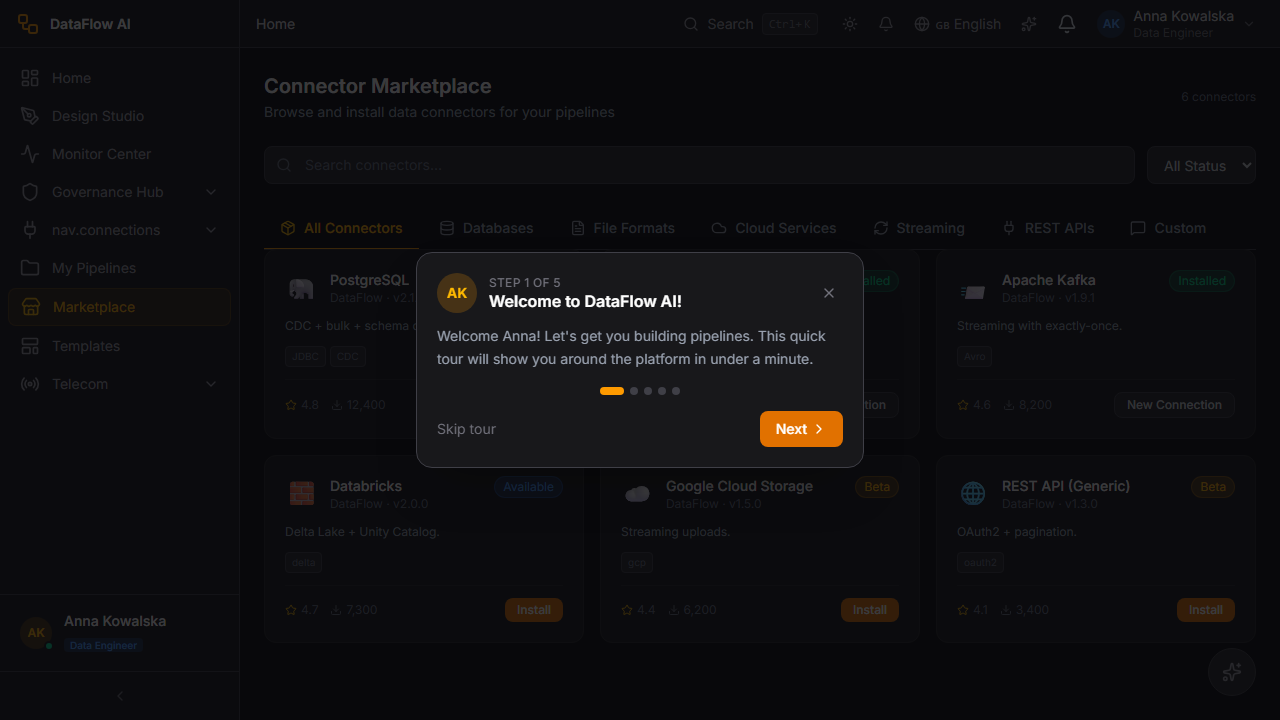
Every connector implements the same Kotlin interface, ConnectorSDK. That shared contract means a PostgreSQL connector and a Salesforce connector are configured and operated the same way, even though one speaks JDBC and the other speaks a REST API. The platform discovers connectors at startup through a ConnectorRegistry and exposes them in the Connector Marketplace.
The shared contract
Each connector provides the same set of operations:
| Method | What it does |
|---|---|
discoverSchema | Inspects the source and returns its tables, columns, and types |
extractData | Reads records out of the system (the read side) |
loadData | Writes records into the system (the write side) |
testConnection | Checks connectivity, returning latency and server version |
capabilities | Declares what the connector can do |
getCDCEvents | Streams change events, where CDC (Change Data Capture) is supported |
Operations and capabilities
Connectors declare two sets of facts about themselves. Operations are the high-level actions a connector supports: EXTRACT (read), LOAD (write), PUSHDOWN_SQL (run SQL inside the source), SCHEMA_DISCOVERY, CDC, STREAMING, BULK_COPY, and HEARTBEAT. Capabilities are finer-grained traits the engine uses for optimisation: COLUMN_PROJECTION (read only needed columns), PREDICATE_PUSHDOWN (filter at the source), SCHEMA_EVOLUTION, PARTITIONING, COMPRESSION, CLOUD_STORAGE, BATCH_WRITE, ENCODING_DETECTION, and MULTI_TABLE.
Base classes
Connectors are built on one of three base classes, depending on how they talk to their system:
| Base class | Used by | Notes |
|---|---|---|
JDBCConnectorBase | The 9 relational databases | Uses a HikariCP connection pool (default max 10 connections, min idle 2). Schema discovery via JDBC DatabaseMetaData. Transactional batch-insert loading by default. |
NativeConnectorBase | MongoDB, BigQuery, Kafka, Salesforce, ServiceNow, SAP ERP, REST, CDC | Uses each vendor's native SDK rather than JDBC. Manages its own connect/disconnect lifecycle. |
FileConnectorBase | CSV, Excel, JSON, Parquet, XML, CDR | Uses a storage abstraction that reads from local disk, Google Cloud Storage (gs://), Amazon S3 (s3://), or Azure Blob. |
21 active connectors
The platform registers 21 active connectors. Two further streaming connectors — Azure Event Hubs and Google Cloud Pub/Sub — exist in the source code but are currently disabled in the connector registry ("temporarily disabled — porting in progress"), so they are not covered as active connectors below.
Relational database connectors
These eight connectors link pipelines to traditional SQL databases. They all run on JDBC, share the same connection-pool tuning, support reading, writing, bulk loading, schema discovery, and SQL push-down, and — for some — Change Data Capture.
PostgreSQL — postgresql
Connects to a PostgreSQL database, the widely used open-source relational database. Use it as a source or target for transactional data, and as a CDC source for streaming row-level changes.
- Operations: read, write, SQL push-down, schema discovery, bulk copy, CDC.
- Authentication:
password(md5 or scram-sha-256),certificate(SSL client certificate), orgcp_iam(short-lived OAuth2 tokens for Google Cloud SQL). - Reads via standard JDBC streaming or the fast
COPY TO STDOUTprotocol. - Writes via the
COPYbulk-load protocol by default, orINSERT ... ON CONFLICTupserts. - CDC: based on the Write-Ahead Log (WAL) using logical replication slots. Plugins
pgoutput,wal2json, andtest_decodingare supported. - Limitations: CDC requires a pre-created replication slot (
pg.cdc_slot_name).
| Parameter | Type | Required | Description |
|---|---|---|---|
host | string | yes | Server hostname (default localhost) |
port | int | no | Port (default 5432) |
database | string | yes | Database name (default postgres) |
username / password | string | yes | Login credentials |
schema | string | no | Schema name (default public) |
pg.auth_mode | string | no | password, certificate, or gcp_iam |
pg.sslmode | string | no | verify-full when SSL is on, else prefer |
pg.use_copy | bool | no | Use COPY bulk load (default true) |
pg.cdc_slot_name | string | for CDC | Logical replication slot name |
pg.cdc_plugin | string | no | CDC plugin (default test_decoding) |
connector: postgresql
config:
  host: pg-prod.polkomtel.internal
  port: 5432
  database: billing
  schema: public
  username: dataflow
  password: ${PG_PASSWORD}
  pg.use_copy: true
MySQL — mysql
Connects to a MySQL database (versions 5.7 and 8.0+), another popular open-source relational database. Suited to transactional workloads and binary-log CDC.
- Operations: read, write, CDC, SQL push-down, schema discovery, bulk copy.
- Authentication:
mysql_native_passwordorcaching_sha2_password(the MySQL 8 default), with SSL modes fromDISABLEDtoVERIFY_IDENTITY. - Writes in four insert modes:
STANDARD,IGNORE,REPLACE, andUPSERT(ON DUPLICATE KEY UPDATE), plus aLOAD DATA LOCAL INFILEbulk path. - CDC: reads the binary log (binlog), addressed by file/position or by GTID.
- Limitations: CDC requires a unique
mysql.cdc.serverId.
| Parameter | Type | Required | Description |
|---|---|---|---|
host / port | string / int | host yes | Server address (default port 3306) |
database / username / password | string | yes | Connection details |
mysql.sslMode | string | no | SSL enforcement level |
mysql.insertMode | string | no | STANDARD, IGNORE, REPLACE, UPSERT |
mysql.streamingResult | bool | no | Stream large result sets |
mysql.cdc.serverId | long | for CDC | Unique replica server ID |
mysql.cdc.useGtid | bool | no | Track changes by GTID instead of position |
connector: mysql
config:
  host: mysql-crm.polkomtel.internal
  database: crm
  username: dataflow
  password: ${MYSQL_PASSWORD}
  mysql.insertMode: UPSERT
  mysql.sslMode: REQUIRED
Oracle Database — oracle
Connects to an Oracle Database, the enterprise relational database common in large telecom back-office systems. Use it for transactional sources and high-throughput loads.
- Operations: read, write, SQL push-down, schema discovery, bulk copy.
- Authentication: password, Oracle Wallet / mTLS (for Autonomous Database), or Kerberos.
- Connection modes:
service_name,sid, or a fulltnsdescriptor. - Writes via batch insert, direct-path load (
INSERT /*+ APPEND */), orMERGE. - Limitations: no CDC support.
| Parameter | Type | Required | Description |
|---|---|---|---|
host / port | string / int | host yes | Server address (default port 1521) |
database / username / password | string | yes | Connection details |
oracle.connection_type | string | no | service_name (default), sid, or tns |
oracle.wallet_location | string | for wallet auth | Path to the Oracle Wallet |
oracle.direct_path | bool | no | Use the APPEND direct-path hint |
oracle.batch_size | int | no | Insert batch size (default 10000) |
connector: oracle
config:
  host: oracle-ar.polkomtel.internal
  port: 1521
  oracle.connection_type: service_name
  database: ARPROD
  username: dataflow
  password: ${ORA_PASSWORD}
  oracle.direct_path: true
Microsoft SQL Server — mssql
Connects to Microsoft SQL Server or Azure SQL Database. Use it for transactional data and as a CDC source via SQL Server's native change tables.
- Operations: read, write, CDC, SQL push-down, schema discovery, bulk copy.
- Authentication: SQL auth, Windows Integrated auth, and five Azure Active Directory modes (
ActiveDirectoryPassword,ActiveDirectoryIntegrated,ActiveDirectoryMSI,ActiveDirectoryServicePrincipal,ActiveDirectoryInteractive). - Writes via
SQLServerBulkCopywith options for batch size, table locking, and identity insert. - CDC: reads native CDC change tables; the database and target tables must have CDC enabled first.
- Capabilities: Always Encrypted columns and AlwaysOn multi-subnet failover.
| Parameter | Type | Required | Description |
|---|---|---|---|
host / port | string / int | host yes | Server address (default port 1433) |
database / username / password | string | yes | Connection details |
bulkCopy.enabled | bool | no | Use SQLServerBulkCopy for loads |
cdc.captureInstance | string | for CDC | Capture-instance name |
cdc.fromLsn | string | no | Log Sequence Number to start CDC from |
connector: mssql
config:
  host: sqlsrv-ops.polkomtel.internal
  database: Operations
  username: dataflow
  password: ${MSSQL_PASSWORD}
  bulkCopy.enabled: true
Teradata — teradata
Connects to Teradata, a massively parallel data warehouse used for large-scale telecom analytics. Use it for high-volume reads and bulk loads.
- Operations: read, write, bulk copy, SQL push-down, schema discovery.
- Authentication (
auth_method):TD2(native, default),LDAP, orKRB5(Kerberos). - Load modes:
fastload(high-throughput inserts into empty tables, default),multiload(MERGE upsert),stream(low-latency row-at-a-time), orbatch. - Capabilities: ACCESS LOCK reads, AMP skew analysis, and query-band session tagging.
- Limitations:
multiloadandstreamrequirekey_columns.
| Parameter | Type | Required | Description |
|---|---|---|---|
host / username / password | string | yes | Connection details (default port 1025) |
auth_method | string | no | TD2, LDAP, or KRB5 |
load_mode | string | no | fastload, multiload, stream, batch |
key_columns | string | for multiload/stream | Comma-separated key columns |
query_band | string | no | Session-tagging label |
connector: teradata
config:
  host: teradata-dw.polkomtel.internal
  database: ANALYTICS
  username: dataflow
  password: ${TD_PASSWORD}
  auth_method: LDAP
  load_mode: fastload
SAP HANA — sap-hana
Connects to SAP HANA, SAP's in-memory column-store database (on-premises or HANA Cloud). Use it for analytics sources and as a load target.
- Operations: read, write, SQL push-down, schema discovery, bulk copy.
- Authentication (
authentication):PASSWORD(default),X509(client certificate),KERBEROS,SAML, orJWT. - Writes via
UPSERT, optimised batch insert, or server-sideIMPORT FROM/EXPORT INTOCSV. - Capabilities: reads SAP HANA calculation views; column-store-only filtering.
- Limitations: no CDC support.
| Parameter | Type | Required | Description |
|---|---|---|---|
host / port | string / int | host yes | Server address (tenant 30015, HANA Cloud 443) |
database / username / password | string | yes | Connection details |
authentication | string | no | PASSWORD, X509, KERBEROS, SAML, JWT |
token | string | for SAML/JWT | Bearer assertion or token |
includeCalculationViews | bool | no | Discover _SYS_BIC calculation views |
connector: sap-hana
config:
  host: hana.polkomtel.internal
  port: 30015
  database: HXE
  username: DATAFLOW
  password: ${HANA_PASSWORD}
  authentication: PASSWORD
Sybase ASE — sybase
Connects to Sybase Adaptive Server Enterprise (ASE), a legacy enterprise relational database, via the open-source jTDS driver. Use it to extract from older telecom systems.
- Operations: read, write, SQL push-down, schema discovery, bulk copy.
- Authentication: native Sybase username and password.
- Writes via batched prepared statements with automatic deadlock retry, or tab-delimited BCP-out-style export.
- Limitations: no CDC support.
| Parameter | Type | Required | Description |
|---|---|---|---|
host / port | string / int | host yes | Server address (default port 5000) |
database / username / password | string | yes | Connection details |
sybase.use_bcp | bool | no | Use bulk-copy batched loads (default true) |
connector: sybase
config:
  host: sybase-legacy.polkomtel.internal
  port: 5000
  database: legacy_billing
  username: dataflow
  password: ${SYBASE_PASSWORD}
  sybase.use_bcp: true
NoSQL database connector
MongoDB — mongodb
Connects to MongoDB, a document-oriented NoSQL database that stores flexible JSON-like documents instead of fixed table rows. Use it for semi-structured data and as a CDC source via change streams. Unlike the relational connectors, MongoDB uses its native driver rather than JDBC.
- Operations / capabilities: schema discovery, read, write, column projection, predicate push-down, batch write, streaming, CDC.
- Authentication: SCRAM-SHA-256 (default), SCRAM-SHA-1, X.509 client certificate, AWS IAM, or LDAP.
- Reads via
find()queries or full aggregation pipelines. Schema is inferred by sampling documents (default 100) since MongoDB has no fixed schema. - Writes in five modes:
insert,upsert,replace,update, andbulk. - CDC: change streams via the
watch()API, with resume tokens for fault tolerance.
| Parameter | Type | Required | Description |
|---|---|---|---|
uri | string | yes | mongodb:// or mongodb+srv:// connection string |
database / collection | string | yes | Target database and collection |
mongodb.writeMode | string | no | insert, upsert, replace, update, bulk |
schemaSampleSize | int | no | Documents to sample for schema (default 100) |
mongodb.aggregationPipeline | string | no | Aggregation pipeline for reads |
connector: mongodb
config:
  uri: mongodb+srv://cluster.polkomtel.mongodb.net
  database: customer360
  collection: events
  mongodb.writeMode: upsert
  schemaSampleSize: 200
Cloud data warehouse connectors
These connectors link pipelines to cloud-hosted analytical warehouses — managed services built for large-scale querying.
Snowflake — snowflake
Connects to the Snowflake Data Cloud, a fully managed cloud data warehouse. Use it as a high-volume analytics source or load target.
- Operations: read, write, bulk copy, SQL push-down, schema discovery.
- Authentication (
auth_type):password(default),key_pair(RSA key-pair JWT),oauth, orexternal_browser(interactive SSO). - Reads via JDBC streaming or
COPY INTObulk unload from a stage. - Writes via
PUT+COPY INTOstaged loads, or JDBC batch insert. - Capabilities: warehouse auto-suspend/resume management and query tagging.
| Parameter | Type | Required | Description |
|---|---|---|---|
account | string | yes | Snowflake account identifier |
database / schema / warehouse | string | yes | Target objects |
role | string | no | Snowflake role to assume |
username / password | string | for password auth | Login credentials |
auth_type | string | no | password, key_pair, oauth, external_browser |
stage_name | string | no | Stage for bulk load/unload |
connector: snowflake
config:
  account: polkomtel-eu
  database: ANALYTICS
  schema: PUBLIC
  warehouse: LOAD_WH
  username: DATAFLOW
  password: ${SF_PASSWORD}
  auth_type: password
Databricks — databricks
Connects to the Databricks Lakehouse, a unified analytics platform built on Delta Lake. Use it for lakehouse analytics, with support for Delta time travel.
- Operations: read, write, bulk copy, SQL push-down, schema discovery.
- Authentication (
auth_type):pat(Personal Access Token, default),oauth(machine-to-machine), orazure_ad. - Compute (
compute_type): a SQL Warehouse or an All-Purpose Cluster. - Reads support Delta Lake time travel — reading a table as of a past version or timestamp.
- Writes via
COPY INTOfrom cloud storage, DeltaMERGE INTOupserts, or JDBC batch. - Capabilities: Unity Catalog three-level namespace and Delta table maintenance (OPTIMIZE, VACUUM).
| Parameter | Type | Required | Description |
|---|---|---|---|
host | string | yes | Databricks workspace host |
httpPath | string | yes | SQL Warehouse or cluster HTTP path |
auth_type | string | no | pat, oauth, azure_ad |
compute_type | string | no | sql_warehouse or cluster |
extractAtVersion | int | no | Delta version to read (time travel) |
merge_keys | string | no | Keys for Delta MERGE upserts |
connector: databricks
config:
  host: adb-123.4.azuredatabricks.net
  httpPath: /sql/1.0/warehouses/abc123
  auth_type: pat
  token: ${DATABRICKS_TOKEN}
  compute_type: sql_warehouse
Google BigQuery — bigquery
Connects to Google BigQuery, Google Cloud's serverless data warehouse. Use it for large-scale analytics and as a load target. It uses the native BigQuery SDK rather than JDBC.
- Operations / capabilities: read, write, batch write, streaming, partitioning, column projection, schema discovery, bulk copy.
- Authentication: Application Default Credentials (Workload Identity) or a service-account JSON key.
- Reads via Standard SQL or Legacy SQL queries, with parameterised query support.
- Writes via batch load jobs (CSV/JSON/Parquet/Avro) or streaming inserts (up to 10,000 rows per request).
- Capabilities: partitioned and clustered tables, materialized and external tables.
- Limitations: no SQL push-down or CDC.
| Parameter | Type | Required | Description |
|---|---|---|---|
projectId | string | yes | Google Cloud project ID |
datasetId | string | yes | BigQuery dataset |
location | string | no | Dataset region (default US) |
serviceAccountKeyPath | string | no | Path to service-account JSON key |
useStreaming | bool | no | Use streaming inserts instead of load jobs |
partitionField | string | no | Column to partition the target table by |
connector: bigquery
config:
  projectId: polkomtel-data
  datasetId: telecom_analytics
  location: EU
  serviceAccountKeyPath: /secrets/bq-sa.json
  useStreaming: false
Streaming connectors
Streaming connectors move data as a continuous flow of events rather than as bounded batches.
Apache Kafka — kafka
Connects to Apache Kafka, a distributed event-streaming platform. Use it to consume events from topics (read) or publish events to topics (write).
- Operations: read (consumer), write (producer), schema discovery.
- Authentication (
security.protocol):PLAINTEXT(default),SASL_PLAINTEXT,SASL_SSL, orSSL(mutual TLS). SASL mechanisms includePLAIN,SCRAM-SHA-256/512, andOAUTHBEARER. - Reads: subscribes to topics, commits offsets manually, and auto-injects metadata columns (
_topic,_partition,_offset,_timestamp,_key). Deserialization failures route to a dead-letter topic. - Writes: produces records with configurable acknowledgements, batching, and optional idempotent delivery.
- Schema discovery: from a Confluent Schema Registry, or inferred from sampled JSON messages.
- Limitations: Kafka does not expose database CDC — use the
cdc-debeziumconnector for that.
| Parameter | Type | Required | Description |
|---|---|---|---|
bootstrap.servers | string | yes | Kafka broker addresses (default port 9092) |
topics / topic | string | yes | Topic(s) to consume or produce |
security.protocol | string | no | Connection security protocol |
sasl.mechanism | string | no | SASL authentication mechanism |
schema.registry.url | string | no | Confluent Schema Registry URL |
serde.format | string | no | Serialization format (default JSON) |
connector: kafka
config:
  bootstrap.servers: kafka-1.polkomtel.internal:9092
  topics: cdr-events
  security.protocol: SASL_SSL
  sasl.mechanism: SCRAM-SHA-256
  serde.format: JSON
Change Data Capture — cdc-debezium
Connects to a source database to capture Change Data Capture (CDC) events — a continuous stream of every row insert, update, and delete. Built on Debezium, it turns a regular database into a real-time event source without altering the database's own workload.
- Supported source databases: Oracle (LogMiner redo logs), PostgreSQL (WAL logical replication), SQL Server (native CDC tables), MySQL (binlog), and MongoDB (change streams).
- Capabilities: schema discovery via snapshot, batch and continuous extraction of change events, lag and health monitoring, and column masking for PII.
- Limitations: read-only — CDC connectors capture changes, they do not write.
| Parameter | Type | Required | Description |
|---|---|---|---|
cdc.database.type | string | yes | oracle, postgresql, sqlserver, mysql, mongodb |
cdc.connection.url | string | yes | Source database URL |
cdc.username / cdc.password | string | yes | Source credentials |
cdc.tables | string | yes | Tables to capture changes from |
cdc.snapshot.mode | string | no | initial, schema_only, never, when_needed |
cdc.start.from | string | no | beginning, latest, or a timestamp |
cdc.column.masks | string | no | Columns to mask for PII |
connector: cdc-debezium
config:
  cdc.database.type: postgresql
  cdc.connection.url: jdbc:postgresql://pg-prod:5432/billing
  cdc.username: debezium
  cdc.password: ${CDC_PASSWORD}
  cdc.tables: public.invoices,public.payments
  cdc.snapshot.mode: initial
File format connectors
These five connectors read and write files. All use the shared file-storage abstraction, so the same connector works against local disk, Google Cloud Storage, Amazon S3, or Azure Blob — the storage backend is detected from the path prefix (gs://, s3://).
CSV — csv
Reads and writes CSV (comma-separated values) and other delimited text files. Use it for the most common interchange format for tabular data.
- Capabilities: schema discovery, read, write, column projection, encoding detection, cloud storage, batch write.
- Features: full RFC 4180 support (quoted fields, multiline values); automatic character-encoding and delimiter detection; type inference (integer, decimal, date, timestamp, boolean, string); gzip and bzip2 decompression.
| Parameter | Type | Required | Description |
|---|---|---|---|
path | string | yes | File or directory path |
delimiter | string | no | Field separator (auto-detected if omitted) |
hasHeader | bool | no | First row is a header |
encoding | string | no | Character encoding (auto-detected if omitted) |
dialect | string | no | rfc4180, excel, excel_eu, tsv, pipe |
errorMode | string | no | FAIL or SKIP on bad rows |
connector: csv
config:
  path: gs://polkomtel-imports/subscribers.csv
  delimiter: ","
  hasHeader: true
  errorMode: SKIP
Microsoft Excel — excel
Reads and writes Microsoft Excel workbooks (.xlsx and legacy .xls). Use it for spreadsheets exchanged with business teams.
- Capabilities: schema discovery, read, write, column projection, multi-table, batch write.
- Features: sheet selection by name or index; merged-cell resolution; named-range reads; formula evaluation with cached-result fallback; streaming writes for large files.
- Limitations: password-protected files are rejected.
| Parameter | Type | Required | Description |
|---|---|---|---|
path | string | yes | Workbook file path |
sheetName / sheetIndex | string / int | no | Which sheet to read |
headerRow | int | no | Row index of the header |
evaluateFormulas | bool | no | Recalculate formulas on read |
namedRange | string | no | Read a named range only |
connector: excel
config:
  path: /data/reports/monthly.xlsx
  sheetName: Subscribers
  headerRow: 1
  evaluateFormulas: true
JSON — json
Reads and writes JSON files. Use it for nested, semi-structured documents. The schema is inferred automatically from the file content.
- Capabilities: schema discovery, read, write, cloud storage.
| Parameter | Type | Required | Description |
|---|---|---|---|
path | string | yes | File or directory path |
connector: json
config:
  path: s3://polkomtel-events/2026/05/events.json
Parquet — parquet
Reads and writes Apache Parquet files — a compressed, columnar storage format built for analytics. Use it for efficient large-dataset interchange between analytical systems.
- Capabilities: schema discovery, read, write, cloud storage. Schema is mapped directly from the Parquet file's embedded schema.
| Parameter | Type | Required | Description |
|---|---|---|---|
path | string | yes | File or directory path |
connector: parquet
config:
  path: gs://polkomtel-lake/cdr/voice/part-0001.parquet
XML — xml
Reads and writes XML files. Use it for hierarchical documents and legacy system exports. The schema is mapped from the XML structure.
- Capabilities: schema discovery, read, write, cloud storage.
| Parameter | Type | Required | Description |
|---|---|---|---|
path | string | yes | File or directory path |
connector: xml
config:
  path: /data/exports/inventory.xml
SaaS and application connectors
These connectors link pipelines to cloud applications over their REST or OData APIs.
Salesforce CRM — salesforce
Connects to Salesforce, the cloud CRM platform, over its REST and SOQL API. Use it to extract customer and sales data, or to load records back.
- Operations / capabilities: read, write, schema discovery, bulk copy, batch write, column projection.
- Authentication (
auth_type):password(OAuth2 username-password, default),jwt_bearer(server-to-server), orrefresh_token. - Reads via SOQL queries with cursor pagination. Schema is discovered through the
describeAPI. - Writes via single-record REST calls or the Bulk API 2.0 for large volumes.
- Capabilities: relationship traversal, polymorphic and compound fields; respects Salesforce API rate limits.
| Parameter | Type | Required | Description |
|---|---|---|---|
loginUrl | string | no | login.salesforce.com or test.salesforce.com |
auth_type | string | no | password, jwt_bearer, refresh_token |
clientId / clientSecret | string | yes | Connected App credentials |
username / password | string | for password auth | Login credentials |
securityToken | string | for password auth | Salesforce security token |
private_key_path | string | for jwt_bearer | RSA private key path |
connector: salesforce
config:
  loginUrl: login.salesforce.com
  auth_type: password
  clientId: ${SF_CLIENT_ID}
  clientSecret: ${SF_CLIENT_SECRET}
  username: integration@polkomtel.com
  password: ${SF_PASSWORD}
  securityToken: ${SF_TOKEN}
SAP ERP / S/4HANA — sap-erp
Connects to SAP ERP or S/4HANA over the OData (v2 or v4) API. Use it to extract enterprise resource-planning data such as finance, materials, and orders.
- Operations / capabilities: read, write, schema discovery, bulk copy, predicate push-down, batch write, multi-table.
- Authentication (
authType):BASIC,OAUTH2, orPRINCIPAL_PROPAGATION(SSO via SAP Cloud Connector). - Reads: schema from the OData
$metadatadocument; extraction with$select,$filter, and server-driven paging. - Writes via OData create/update, or a
$batchmultipart request. - SAP specifics: CSRF token fetch,
sap-clientandsap-languageheaders.
| Parameter | Type | Required | Description |
|---|---|---|---|
host / port | string / int | host yes | SAP server (default port 443) |
serviceName | string | yes | OData service name |
authType | string | no | BASIC, OAUTH2, PRINCIPAL_PROPAGATION |
sapClient | string | no | SAP client number (default 100) |
odataVersion | int | no | OData version (default 2) |
entitySet | string | no | Entity set to extract |
useBatch | bool | no | Use $batch for writes |
connector: sap-erp
config:
  host: s4hana.polkomtel.internal
  serviceName: API_SALES_ORDER_SRV
  authType: BASIC
  username: DATAFLOW
  password: ${SAP_PASSWORD}
  sapClient: "100"
  odataVersion: 4
ServiceNow — servicenow
Connects to ServiceNow, the IT service management (ITSM) cloud platform, over its REST Table API. Use it to extract incidents, assets, and other ITSM records.
- Operations / capabilities: read, write, schema discovery, predicate push-down, batch write, column projection.
- Authentication (
authType):basic(default) oroauth2(client credentials). - Reads: schema from
sys_dictionary; paginated extraction with encoded queries and field selection. - Writes via the Table API, or the Import Set API for bulk loads.
| Parameter | Type | Required | Description |
|---|---|---|---|
instanceUrl | string | yes | ServiceNow instance URL |
authType | string | no | basic or oauth2 |
clientId / clientSecret | string | for oauth2 | OAuth2 credentials |
sysparmQuery | string | no | Encoded query filter |
sysparmFields | string | no | Fields to return |
pageSize | int | no | Page size (default 1000, max 10000) |
importTable | string | no | Import-set staging table for bulk loads |
connector: servicenow
config:
  instanceUrl: https://polkomtel.service-now.com
  authType: basic
  username: dataflow
  password: ${SNOW_PASSWORD}
  sysparmQuery: active=true
  pageSize: 1000
Generic REST API — rest_api
Connects to any HTTP REST endpoint. Use it when a system has no dedicated connector but exposes a REST API.
- Operations / capabilities: read, write, schema discovery, batch write.
- Authentication (
authType):none,basic,bearer,oauth2_cc(OAuth2 client credentials),api_key, orcustom_header. - Reads: configurable HTTP method, response formats (
json,xml,csv,ndjson), and six pagination strategies (none,offset,cursor,page_number,link_header,keyset). - Writes: batched
POST/PUT/PATCHof JSON arrays. - Reliability: token-bucket rate limiting, exponential-backoff retry on 429/5xx, and a circuit breaker.
| Parameter | Type | Required | Description |
|---|---|---|---|
baseUrl | string | yes | API base URL |
path | string | no | Endpoint path |
method | string | no | HTTP method |
authType | string | no | Authentication scheme |
responseFormat | string | no | json, xml, csv, ndjson |
responsePath | string | no | Dot-path to the data array |
paginationType | string | no | Pagination strategy |
rateLimitPerSecond | int | no | Request rate cap (default 10) |
connector: rest_api
config:
  baseUrl: https://api.partner.example.com
  path: /v1/usage
  method: GET
  authType: bearer
  responseFormat: json
  responsePath: data.items
  paginationType: cursor
Telecom CDR connector — cdr-asn1
The CDR connector is the platform's purpose-built telecom connector. It reads Call Detail Records (CDRs) — the binary records a mobile network generates for every call, SMS, data session, and roaming event. CDRs are the raw material for billing, revenue assurance, and fraud detection at a telecom operator like Polkomtel.
CDRs are not stored as plain text. They are encoded in ASN.1 (Abstract Syntax Notation One), a binary standard defined by the 3GPP and ETSI telecom bodies. The CDR connector decodes ASN.1 directly, so pipelines can ingest network records without a separate decoding stage.
- Base / status: extends
FileConnectorBase; read-only — it cannot write CDR files (Parquet output is produced by a separate converter). - Capabilities: schema discovery, read, streaming, cloud storage.
- File handling: reads single files or whole directories via a glob pattern (default
*.cdr); supported extensions.cdr,.asn1,.dat,.bin. - Cloud storage: reads from GCS, S3, or local disk — the Polkomtel convention is
gs://polkomtel-cdr-raw/{date}/.
ASN.1 decoding pipeline
A CDR file is decoded in stages:
| Stage | What happens |
|---|---|
| Storage read | The storage adapter streams the raw file from GCS, S3, or local disk |
| ASN.1 decode | Asn1Decoder parses the BER/DER binary encoding into tag-length-value structures |
| Binary decode | CdrBinaryDecoder applies a template to extract named fields from those structures |
| Record mapping | Decoded fields become standard DataRecord rows in a DataStream |
Telecom data types are mapped to platform types — notably TBCD_STRING (the TBCD encoding used for IMSI and MSISDN phone-number identifiers), BCD_TIMESTAMP and ASN1_TIMESTAMP, LOCATION_INFO (network cell location: MCC, MNC, LAC, Cell ID), IP_ADDRESS, and ENUMERATED (cause codes).
Source-switch attribution and watermarks
The connector derives the originating network switch from the filename (huawei → huawei-mss, ericsson → ericsson-msc, nokia → nokia-msc) so per-vendor metrics can be tracked. It also classifies each record's timeliness — ON_TIME, LATE, or DROPPED — using a watermark tracker, attaching the result as _lateness metadata alongside _recordType, _timestamp, and _sourceSwitch.
Native CDR record types
The connector ships templates for 12 native 3GPP-R15 record types:
| Code | Type | Description |
|---|---|---|
| 0 | CS_VOICE_MO | Circuit-switched voice, mobile originated |
| 1 | CS_VOICE_MT | Circuit-switched voice, mobile terminated |
| 2 | CS_SMS_MO | Circuit-switched SMS, mobile originated |
| 3 | CS_SMS_MT | Circuit-switched SMS, mobile terminated |
| 4 | PS_DATA | Packet-switched data (GPRS/LTE — APN, volumes) |
| 5 | IMS_VOICE | VoLTE/IMS voice |
| 6 | IMS_VIDEO | IMS video call |
| 7 | MMS_MO | MMS, mobile originated |
| 8 | MMS_MT | MMS, mobile terminated |
| 9 | ROAMING_IN | Roaming inbound |
| 10 | ROAMING_OUT | Roaming outbound |
| 11 | SUPPLEMENTARY_SERVICE | Supplementary service |
The connector auto-detects which template to apply: it reads the record-type code (ASN.1 tag 0), falls back to tag-pattern heuristics, and finally to roaming-format detection.
Configuration parameters
| Parameter | Type | Required | Description |
|---|---|---|---|
path / filePattern | string | path yes | File or directory; glob (default *.cdr) |
templateType | string | no | Record template (default auto for auto-detect) |
templateVersion | string | no | Standard version (default 3GPP-R15) |
batchSize | int | no | Records per batch (default 10000) |
skipMalformed | bool | no | Skip undecodable records (default true) |
sourceSwitch | string | no | Override the filename-derived switch name |
connector: cdr-asn1
config:
  path: gs://polkomtel-cdr-raw/2026-05-20/
  filePattern: "*.cdr"
  templateType: auto
  templateVersion: 3GPP-R15
  batchSize: 10000
  skipMalformed: true
Roaming settlement formats — TAP3, NRTRDE, RAP
When a Polkomtel subscriber uses another operator's network abroad — or a foreign subscriber roams onto Polkomtel — the two operators must exchange usage records and settle charges. The industry uses three GSMA-standardised CDR formats for this, and the cdr-asn1 connector decodes all three. When it sees a roaming file, the connector tries TAP3 first (the most common), then NRTRDE, then RAP, using the ASN.1 APPLICATION-class tags and field patterns to identify the format.
TAP3 — Transferred Account Procedure
TAP3 is the worldwide standard for inter-operator roaming-settlement CDR exchange — the format operators use to bill each other for roaming usage. It is exchanged in batches, typically daily or weekly.
- Standard: GSMA TD.57 / 3GPP TS 32.298. Version string
TAP3.12. - Record types: 7 — MOC (Mobile Originated Call), MTC (Mobile Terminated Call), GPRS (packet data), SMS_MO, SMS_MT, SCF (supplementary services), and VAS (value-added service).
- Encoding: ASN.1 with 69 context-specific tag constants covering subscriber identifiers, call parties, location, basic-service usage, timestamps, charge information, tax information, and file-level fields.
- Detail: charge amounts are carried in SDR (thousandths) with exchange rates and tax blocks; a Mobile Originated Call record has roughly 33 fields.
- Mapping: MOC maps to
ROAMING_OUT, MTC toROAMING_IN, GPRS toPS_DATA, SMS to the circuit-switched SMS types, and SCF/VAS toSUPPLEMENTARY_SERVICE.
NRTRDE — Near Real-Time Roaming Data Exchange
NRTRDE is a near-real-time roaming-usage exchange — delivered within hours rather than daily — designed for rapid roaming-fraud detection and credit-limit enforcement.
- Standard: GSMA PRD IR.35. Version
NRTRDE-2.1. ASN.1 BER encoding. - Record types: 5 — VOICE, DATA, SMS, SUPPLEMENTARY, and CONTENT.
- Encoding: 32 context-specific tags, including dedicated fraud fields —
FRAUD_INDICATOR(0 = normal, 1 = suspected, 2 = confirmed),HIGH_USAGE_INDICATOR,ROAMING_STATUS, andCAMEL_INDICATOR. - Why it differs from TAP3: NRTRDE is a deliberately simplified format — a minimal-but-sufficient set of fields optimised for speed of fraud detection and credit control, rather than full billing settlement.
RAP — Returned Accounts Procedure
RAP handles settlement disputes. When a home operator receives a TAP file and finds errors in it, it generates RAP records to reject specific events — or the whole file — and return them to the sender.
- Standard: GSMA PRD BA.12. Version
RAP-1.5. - Record types: 4 — CALL_EVENT_REJECTION (a single bad event), FILE_REJECTION (a whole file with fatal errors), AUDIT_CONTROL_REJECTION (file-metadata errors), and FILE_NOTIFICATION (a missing or duplicate file).
- Encoding: 28 tags covering the original TAP file reference, rejection detail, timestamps, original-record references, and settlement amounts.
- Rejection codes: 20 standard GSMA error codes — for example UNKNOWN_SUBSCRIBER, MISSING_MANDATORY_FIELD, INVALID_FIELD_VALUE, DUPLICATE_RECORD, and CHARGING_ERROR — each with a human-readable description.
- Mapping: all RAP records map to
ROAMING_IN.
Telecom-native decoding
TAP3, NRTRDE, and RAP are not generic file formats — they are the specific binary roaming-record formats mandated by the GSMA for mobile operators. Because the CDR connector decodes them directly with ASN.1, Polkomtel can ingest roaming usage, run fraud checks, and process settlement disputes without a separate, vendor-specific decoding tool.
connector: cdr-asn1
config:
  path: gs://polkomtel-cdr-raw/roaming/2026-05-20/
  filePattern: "*.dat"
  templateType: auto
  skipMalformed: true
Capability summary
The table below summarises what each active connector can do. CDC = Change Data Capture; Pushdown = SQL push-down to the source.
| Connector | Read | Write | CDC | Bulk | Schema discovery | Pushdown |
|---|---|---|---|---|---|---|
postgresql | ✔ | ✔ | ✔ | ✔ | ✔ | ✔ |
mysql | ✔ | ✔ | ✔ | ✔ | ✔ | ✔ |
oracle | ✔ | ✔ | — | ✔ | ✔ | ✔ |
mssql | ✔ | ✔ | ✔ | ✔ | ✔ | ✔ |
teradata | ✔ | ✔ | — | ✔ | ✔ | ✔ |
sap-hana | ✔ | ✔ | — | ✔ | ✔ | ✔ |
sybase | ✔ | ✔ | — | ✔ | ✔ | ✔ |
mongodb | ✔ | ✔ | ✔ | ✔ | ✔ | — |
snowflake | ✔ | ✔ | — | ✔ | ✔ | ✔ |
databricks | ✔ | ✔ | — | ✔ | ✔ | ✔ |
bigquery | ✔ | ✔ | — | ✔ | ✔ | — |
kafka | ✔ | ✔ | — | — | ✔ | — |
cdc-debezium | ✔ | — | ✔ | — | ✔ | — |
csv excel json parquet xml | ✔ | ✔ | — | ✔ | ✔ | — |
cdr-asn1 | ✔ | — | — | — | ✔ | — |
salesforce | ✔ | ✔ | — | ✔ | ✔ | — |
sap-erp | ✔ | ✔ | — | ✔ | ✔ | — |
servicenow | ✔ | ✔ | — | ✔ | ✔ | — |
rest_api | ✔ | ✔ | — | — | ✔ | — |
Heads up
Azure Event Hubs (azure-eventhubs) and Google Cloud Pub/Sub (google-pubsub) connectors exist in the source code but are currently disabled in the connector registry. They are not available for use until porting is complete.