End-to-end use cases
Use case: Migrating Informatica PowerCenter
This is the full story of how a Polkomtel data engineer takes one old Informatica PowerCenter workflow — built years ago, hard to change, and expensive to keep — and turns it into a modern DataFlow AI pipeline that runs in the cloud. We follow every screen, every click, and every decision, explained so that someone who has never touched a database can follow along.
Meet the people and the problem
Let us introduce Marek. Marek is a data engineer at Polkomtel Plus, the Polish telecom company. His job is to make sure that information moves correctly between the company's many computer systems every night, so that the next morning the business has fresh reports.
For more than fifteen years, Polkomtel has done this moving-of-data with a tool called Informatica PowerCenter. Think of PowerCenter as a very old, very reliable delivery van. It has done its job for a long time, but it is getting hard to find spare parts, the fuel is expensive, and it cannot drive on the new motorways (the cloud). Polkomtel pays somewhere between $1.2 million and $2 million every year just for the licence to keep that van on the road.
Polkomtel has decided to retire the van. They have 500 or more PowerCenter workflows — 500 separate "delivery routes" — that all need to be moved onto a modern, cloud-based platform called DataFlow AI. Marek's job is to do that moving, workflow by workflow. Doing 500 of them by hand would take years. So DataFlow AI has a built-in helper, the Migration Center, that does most of the work automatically and asks Marek for help only where a human is genuinely needed.
In plain terms
A "migration" just means moving something from an old home to a new home. Here we are moving the instructions for shuffling data — not the data itself — from Informatica PowerCenter into DataFlow AI. The data stays where it always was; only the recipe that processes it changes tools.
What an Informatica PowerCenter workflow actually is
Before Marek can move a workflow, it helps to understand what one is made of. PowerCenter organises its work into a few nested layers. Picture a cookbook.
| PowerCenter term | Everyday analogy | What it really is |
|---|---|---|
| Workflow | The whole evening's cooking plan | The top-level job — "run these recipes, in this order, tonight" |
| Session | "Cook recipe #3 now, using these ingredients" | A run instruction that points at one mapping and tells it which databases to use |
| Mapping | A single recipe | The actual data recipe: where ingredients come from, how they are prepared, where the finished dish goes |
| Source | The cupboard you take ingredients from | A database table or file the data is read from |
| Target | The serving plate the dish ends up on | A database table or file the data is written to |
| Transformation | A cooking step (chop, mix, season, strain) | One processing operation — filter rows, calculate a column, join two tables, summarise, and so on |
| Connector | The arrow showing "this prepared bowl goes into that pan" | The line that links one transformation's output to the next one's input |
So a PowerCenter workflow contains sessions, each session runs a mapping, and each mapping is a chain of sources → transformations → targets wired together by connectors. DataFlow AI uses the very same idea but calls the pieces nodes (the boxes) and edges (the arrows), assembled into a pipeline.
The example we will follow: wf_SAP_Replika
Marek's first migration is a real Polkomtel workflow with a long name: wf_SAP_Replika_l_BIURO_SPRZEDAZY_PLK. We will call it wf_SAP_Replika for short.
In plain words, this workflow does one simple, very common job: every night it copies a "sales office" table out of an SAP HANA database and writes a fresh copy into the Teradata data warehouse. It is a full-refresh replication — empty the target, copy everything across again. There is no clever maths, no joining of tables; it is mostly a straight copy.
Because it is so simple, the Migration Center expects to convert this workflow with about 95% automatic success — almost no human work. Replication jobs like this make up roughly 35% of Polkomtel's entire estate, so getting them right is a big, quick win. (At the other extreme sits a workflow called wf_E112 with 7 mappings and 40+ transformations that only converts 68–75% automatically — we will mention it later as a contrast.)
Step 1 — Export the workflow from PowerCenter
The Migration Center cannot read PowerCenter's internal repository directly. It needs the workflow as a file. PowerCenter can write any workflow out as an XML file — XML is just a structured text format, a bit like a very tidy, deeply indented outline.
Marek opens the PowerCenter Repository Manager, finds the folder containing wf_SAP_Replika, right-clicks the workflow, and chooses Export Objects. PowerCenter saves a file called something like wf_SAP_Replika.xml.
Inside, that XML follows a nested shape the Migration Center knows how to read:
REPOSITORY
 └─ FOLDER
     └─ MAPPING                       (the recipe — has a NAME and DESCRIPTION)
         ├─ SOURCE  → SOURCEFIELD*     (the cupboard and its columns)
         ├─ TARGET  → TARGETFIELD*     (the serving plate and its columns)
         ├─ TRANSFORMATION             (each cooking step — has a NAME and TYPE)
         │    ├─ TRANSFORMFIELD*       (the column-level logic — the EXPRESSION)
         │    └─ TABLEATTRIBUTE*       (the step's settings, as name/value pairs)
         └─ CONNECTOR                  (the arrows wiring steps together)
In plain terms
Exporting is like photocopying a recipe out of the cookbook so you can hand it to someone else. Marek is not changing anything in PowerCenter — the original is untouched and still runs every night until the new pipeline is proven.
A few practical points Marek keeps in mind:
- The file must end in
.xml— that is how the Migration Center recognises a PowerCenter export. - The file must be 50 MB or smaller.
wf_SAP_Replikais tiny, so this is no problem; only enormous multi-mapping exports get close to the limit. - If a workflow uses a parameter file (a separate
.parmfile holding values like database names and date ranges), Marek exports that too — those values will need a new home in DataFlow AI later.
Step 2 — Upload the file to the Migration Center
Marek logs in to DataFlow AI at https://dataflow.polkomtel.internal using his normal Polkomtel single-sign-on (the same username and password as his Windows login). On the left sidebar he clicks Migration, which opens the Migration Center and lands him on the Import Wizard.
The Import Wizard has a large drop zone. Marek drags wf_SAP_Replika.xml onto it (or clicks Browse and picks the file). The moment the file lands, the Migration Center does several quick safety checks before it accepts the job:
- Is the filename present and the extension allowed? It must be
.xml,.yxmd, or.dtsx..xmlis on the list, sowf_SAP_Replika.xmlpasses. - Is the file under 50 MB? Yes.
- It creates a migration job — a tracked task with its own ID — and immediately marks it
UPLOADED. The raw file is saved to a secure working folder, and the job record is written to disk so nothing is lost if the service restarts.
From this single upload, the Migration Center now runs the entire conversion pipeline automatically, in one go. Marek does not click anything else; he just watches the status change. The job moves through these stages:
UPLOADED → PARSING → PARSED → CONVERTING → VALIDATING → VALIDATED
         → COMPLETED  |  COMPLETED_WITH_WARNINGS  |  FAILED
The next sections walk through what each of those stages actually does.
Step 3 — Parsing: reading the recipe into a common language
The first real work is parsing. The Migration Center picks the right reader for the file — for a .xml file that is the PowerCenter Parser — and the job status changes to PARSING.
The parser reads the XML and translates it into an internal, tool-neutral description of the workflow. This internal description is the same shape no matter which legacy tool the file came from (PowerCenter, Alteryx, SSIS, DataStage). That is the clever trick: by translating four different legacy formats into one common shape first, DataFlow AI only needs one conversion engine afterwards.
This common description is built from a few simple pieces:
| Internal piece | What it holds |
|---|---|
| Source definition | A source's name, database, schema, table, columns, and connection |
| Transformation | A processing step's name, type, fields, settings, and any SQL override |
| Transformation field | One column's name, the expression that produces it, and its data type |
| Connector | One arrow: which step's output feeds which step's input |
For wf_SAP_Replika the parser finds one mapping. Inside it, it reads:
- A SOURCE pointing at the SAP HANA sales-office table, with all its columns. It also records the source's database type, schema (owner name), and connection name.
- A TARGET pointing at the Teradata table that will receive the copy.
- A small handful of TRANSFORMATIONS — for a pure replication this is mostly a Source Qualifier (the step that actually reads from the source) and perhaps a simple Expression to pass columns through.
- CONNECTORS wiring source → transformation → target.
If anything in the XML is malformed and the parser cannot make sense of it, the job stops here and is marked FAILED, with a clear message. For Marek's clean export, parsing succeeds and the status becomes PARSED.
In plain terms
Parsing is like a translator reading a recipe written in old-fashioned handwriting and typing it up into a clean, standard template. The dish has not changed — only the way the instructions are written down.
Step 4 — Converting: turning each PowerCenter step into a DataFlow node
Now the job status changes to CONVERTING, and this is where the real intelligence lives. The Rule Engine walks through every piece of the parsed workflow and produces the equivalent DataFlow AI pipeline.
It works in three layers, tried in order:
- A deterministic rule. For most common PowerCenter transformations there is a hand-written, exact conversion rule. These rules are predictable and trustworthy — the same input always produces the same output. A node converted this way is labelled with the conversion source
rule_engine. - A generic mapping. If there is no dedicated rule but the transformation type is still recognised, the engine produces a generic node carrying the original settings across.
- The AI assistant (LLM). Only when a transformation is genuinely unusual — and its automatic confidence is below 0.60 — is it handed to an actual AI model (Anthropic's Claude) to attempt a conversion. A node converted this way is labelled
llm.
That label matters: when Marek later reviews the result, he can instantly see how each node was produced — by a trusted rule, or by the AI's best guess.
The transformation-by-transformation mapping table
Here is the heart of the conversion — how each PowerCenter transformation type becomes a DataFlow node. Every conversion turns the visual "cooking step" into a piece of SQL (the standard language databases speak), which is what makes the result fast and cloud-friendly.
| PowerCenter transformation | What it does, in plain words | Becomes (DataFlow node type) | Confidence | How it is converted |
|---|---|---|---|---|
| Source Qualifier | Reads rows out of the source table | source_connector_sql_pushdown | 0.95 with a SQL override, else 0.90 | Uses your custom SQL if you wrote one; otherwise builds a plain SELECT <columns> FROM <table> |
| Expression | Calculates or reformats columns row by row | sql_expression | 0.85 | Each column's formula is translated into SQL; plain pass-through columns map to themselves |
| Filter | Drops rows you do not want | sql_where | 0.98 | The keep-condition becomes a SQL WHERE clause |
| Aggregator | Summarises — totals, counts, averages per group | sql_group_by | 0.95 | Grouping columns become GROUP BY; summary columns become aggregate functions |
| Joiner | Combines two tables into one | sql_join | 0.90 | Maps the join kind: Normal → INNER, Master Outer → RIGHT OUTER, Detail Outer → LEFT OUTER, Full Outer → FULL OUTER |
| Lookup | Looks up extra details from another table | sql_join_pushdown | 0.85 / 0.80 / 0.65 | Becomes a LEFT JOIN using the lookup table, condition, and multiple-match policy |
| Router | Sends rows down different paths by condition | conditional_branch | 0.85 | Each group's condition becomes part of a CASE WHEN … THEN '<group>' … ELSE 'default' END expression |
| Sorter | Puts rows in order | sql_order_by | 0.98 | Becomes a SQL ORDER BY, honouring per-column direction, case-sensitivity, and distinct |
| Union | Stacks rows from several inputs into one | sql_union_all | 0.95 | Becomes UNION ALL |
| Rank | Finds the top/bottom N rows per group | sql_rank | 0.85 | Becomes a RANK() OVER (PARTITION BY … ORDER BY …) window function |
| Sequence Generator | Hands out running numbers (1, 2, 3 …) | sequence_generator | 0.90 | Becomes a ROW_NUMBER()-based expression using your start value and increment |
| Update Strategy | Decides whether each row is an insert, update, or delete | upsert_strategy | 0.80 | Reads the DD_INSERT/UPDATE/DELETE/REJECT flags; multiple flags become an upsert |
| Normalizer | Turns one wide row into several tall rows | normalizer | 0.70 | Becomes an unpivot operation |
| SQL | Runs a raw SQL statement | sql_transform | 0.75 | Carried across as a SQL transform node |
| Stored Procedure | Calls a pre-written database program | stored_procedure_call | 0.50 | Below 0.60 — handed to the AI assistant with a specialised prompt |
| Custom Transformation / Java | Bespoke code written by an engineer | custom_udf | 0.40 / 0.35 | Handed to the AI assistant; the AI produces a Python or SQL skeleton |
For wf_SAP_Replika, the parts the engine meets are almost all on the trusted, high-confidence end of that table — the Source Qualifier and a simple Expression. Each one is converted by a deterministic rule, labelled rule_engine, with confidence at or above 0.85. The sources and targets themselves are converted with a fixed confidence of 0.95.
How formulas are translated: the Expression Translator
Inside an Expression or Filter transformation, PowerCenter uses its own little formula language. DataFlow AI has a dedicated component, the Expression Translator, that rewrites those formulas into standard SQL. It understands nested function calls, operators, and PowerCenter's $$variables. A few important examples:
| PowerCenter formula | Becomes SQL | Note |
|---|---|---|
IIF(condition, yes, no) | CASE WHEN condition THEN yes ELSE no END | If-then-else |
DECODE(v, s1, r1, …, default) | CASE v WHEN s1 THEN r1 … ELSE default END | A lookup-style switch |
NVL(value, fallback) | COALESCE(value, fallback) | "Use a fallback if empty" |
SUBSTR(s, start, len) | SUBSTRING(s FROM start FOR len) | Cut out part of text |
TO_DATE(s, fmt) | CAST(s AS DATE) or TO_DATE(s, fmt) | Convert text to a date |
SYSDATE | CURRENT_TIMESTAMP | "Right now" |
:LOOKUP(...) / :LKP(...) | a /* LOOKUP -- requires JOIN conversion */ comment | Cannot be auto-converted — confidence drops to 0.4, a human must rewrite it as a JOIN |
A $$variable from a parameter file becomes a DataFlow parameter placeholder like ${params.VAR}. Where the translator meets a function it does not recognise, it passes it through unchanged, adds a warning, and lowers the confidence so a reviewer is alerted.
Watch out
A handful of PowerCenter constructs have no clean SQL equivalent and will always need a human. The two to remember: :LOOKUP() calls embedded inside an expression (must become a real JOIN by hand), and SET_DATE_PART (no SQL equivalent). The Migration Center never hides these — it flags them with low confidence and a warning so they cannot slip through unnoticed.
Step 5 — Confidence scoring and the 0.85 release gate
Every converted node gets a confidence score between 0 and 1 — the engine's honest estimate of how sure it is that the conversion is correct. A Filter scores 0.98 (very sure); a Java transformation scores 0.35 (very unsure). The overall confidence of the whole workflow is the average of all its node scores, rounded to two decimals.
Confidence is not just a number on a report — it controls whether the migration is allowed to finish on its own. This is the release gate, and the threshold is 0.85.
After conversion, the Migration Center collects a list of blocking issues. A job is blocked if any of the following is true:
- The overall confidence is below 0.85 — "below the 85% release threshold".
- Any single object was converted with confidence below 0.80.
- Any object ended up typed as
custom_transform, or carries unresolvedissues. - The structural validation (described next) found a problem.
If that blocking list is empty, the job is marked COMPLETED — it converted cleanly and is ready to deploy. If the list has even one item, the job is marked FAILED, and the job's error message says exactly which gate tripped. "Failed" here does not mean broken — it means "a human must look at this before it ships."
| Outcome bucket | Roughly how much of the estate | What it means for the engineer |
|---|---|---|
| Fully Automatic | ~58% | Converted and ready — under 30 minutes of review |
| AI-Assisted | ~27% | The AI generated it; an engineer must review and approve — 2–4 hours |
| Manual Work | ~12% | Custom logic, stored procedures, plugins — hands-on, 1–3 days |
| Not Supported | ~3% | No migration path; must be redesigned from scratch |
For wf_SAP_Replika, every node converts at 0.85 or above by trusted rules, the overall confidence comfortably clears 0.85, and validation is clean. The job lands on COMPLETED — it is one of the lucky 58%.
In plain terms
Think of confidence like a self-driving car's certainty. Above 0.85 across the board, the car drives itself and you just check the destination. Below that, it pulls over and asks the human to take the wheel for the tricky bit. The Migration Center would rather stop and ask than guess wrong with your data.
Step 6 — Validation: six independent safety checks
While the job was VALIDATING, two layers of checks ran on the generated pipeline.
Structural checks (the Pipeline Validator)
This layer reads the generated YAML — the text file describing the new pipeline — and checks it is well formed:
- YAML syntax — the file must parse, and its top level must be a proper structure.
- Required keys — the pipeline must have a
nameand a list ofnodes. - Node schema — every node needs an
idand atype; ids must be unique; the type must be one ofsource,transform,sink, orquality. - Edge references — every arrow must point at nodes that actually exist.
- SQL safety scan — it scans every piece of SQL for dangerous commands (
DROP TABLE,TRUNCATE TABLE,ALTER TABLE,EXEC(, and so on) and raises a warning if it finds one. - Connector names — each connector must be a recognised type (Teradata, SAP HANA, Snowflake, Postgres, S3, Kafka, and the like).
Business checks (the six-check validation suite)
When Marek later opens the Validation Suite screen and presses run, a second, business-level suite runs six pass/fail checks:
| # | Check | Passes when |
|---|---|---|
| 1 | YAML syntax | The structural validator reports the pipeline is valid |
| 2 | SQL safety | No dangerous-SQL warnings were raised |
| 3 | Transform coverage | At least 50% of objects converted with confidence ≥ 0.80 |
| 4 | Confidence score | Overall confidence is at least 0.60 |
| 5 | Node completeness | The pipeline has at least one source node and one sink node |
| 6 | Mapping issues | No converted object carries an unresolved issue |
The overall result is a pass only when zero checks fail. For wf_SAP_Replika, all six pass.
Step 7 — Reviewing the converted pipeline
Even for a clean, automatic job, Marek does a quick review. On the AI Conversion screen of the Migration Center he opens the migration report, which lays everything out:
- Total objects in the workflow, and how they split into auto-converted (confidence ≥ 0.8), needs-review (0.5–0.8), and manual-required (below 0.5).
- A confidence distribution — how many nodes fell in each band, from "high (90–100%)" down to "critical (0–39%)".
- The full list of object mappings, each showing its PowerCenter source type, its new DataFlow type, its confidence, and — crucially — its conversion source (
rule_engineorllm). - Any validation issues and warnings.
- An effort estimate in person-hours: roughly 0.25 hours for each automatic node, 1 hour to review each AI-assisted node, 2 hours per fully-manual node, plus testing time and a fixed 4 hours of integration testing.
For wf_SAP_Replika, the report shows everything as auto-converted by the rule engine. Marek's only real follow-ups are two small housekeeping items that the report flags as manual:
- The parameter file path — the old
.parmfile's values (database names, the load date) need a new home as a DataFlow workspace parameter or, for anything secret, in Secret Manager. - The connection alias — the workflow referred to its databases by old PowerCenter alias names; Marek points the new pipeline at the pre-registered DataFlow connections instead.
For a contrast, the report on the complex wf_E112 workflow would look very different — it would flag a Sybase stored procedure (getAddressChanges), an MSSQL stored procedure, a data-quality export/reimport pattern, a buffer table, and a 2000-character expression, all needing days of hands-on work. That is the difference between the 58% and the 12%.
Watch out
Always check the conversion source column. A node marked rule_engine came from a precise, tested rule and can be trusted with a glance. A node marked llm was produced by an AI model's best effort — it is usually good, but a human must read it, understand it, and approve it before it ever touches production data.
Step 8 — Deploying the converted pipeline
Once Marek is happy, he downloads the result. On the report screen there is a Download button. He chooses the YAML format, and the Migration Center hands him a file named wf_SAP_Replika_converted.yaml.
That YAML file is the new pipeline. It describes, in clean human-readable text, the whole thing:
pipeline:
  name: wf_SAP_Replika_l_BIURO_SPRZEDAZY_PLK
  description: Converted from Informatica PowerCenter
  schedule: manual
  sources:
    - id: src_sap_biuro_sprzedazy
      type: source
      connector: sap-hana
  transformations:
    - id: sql_select_passthrough
      type: transform
      depends_on: [src_sap_biuro_sprzedazy]
  targets:
    - id: sink_teradata_biuro
      type: sink
      connector: teradata
      depends_on: [sql_select_passthrough]
  quality_checks:
    - type: row_count_check
    - type: null_check
    - type: duplicate_check
    - type: schema_validation
Notice the quality checks at the bottom. The Migration Center adds these automatically: a row-count check, a null check, a duplicate check, and a schema check for the target. They are guardrails — when the pipeline runs, they confirm the data really arrived correctly. (If any node had converted below 0.80 confidence, a data_reconciliation check would also be added, naming the shaky transforms.)
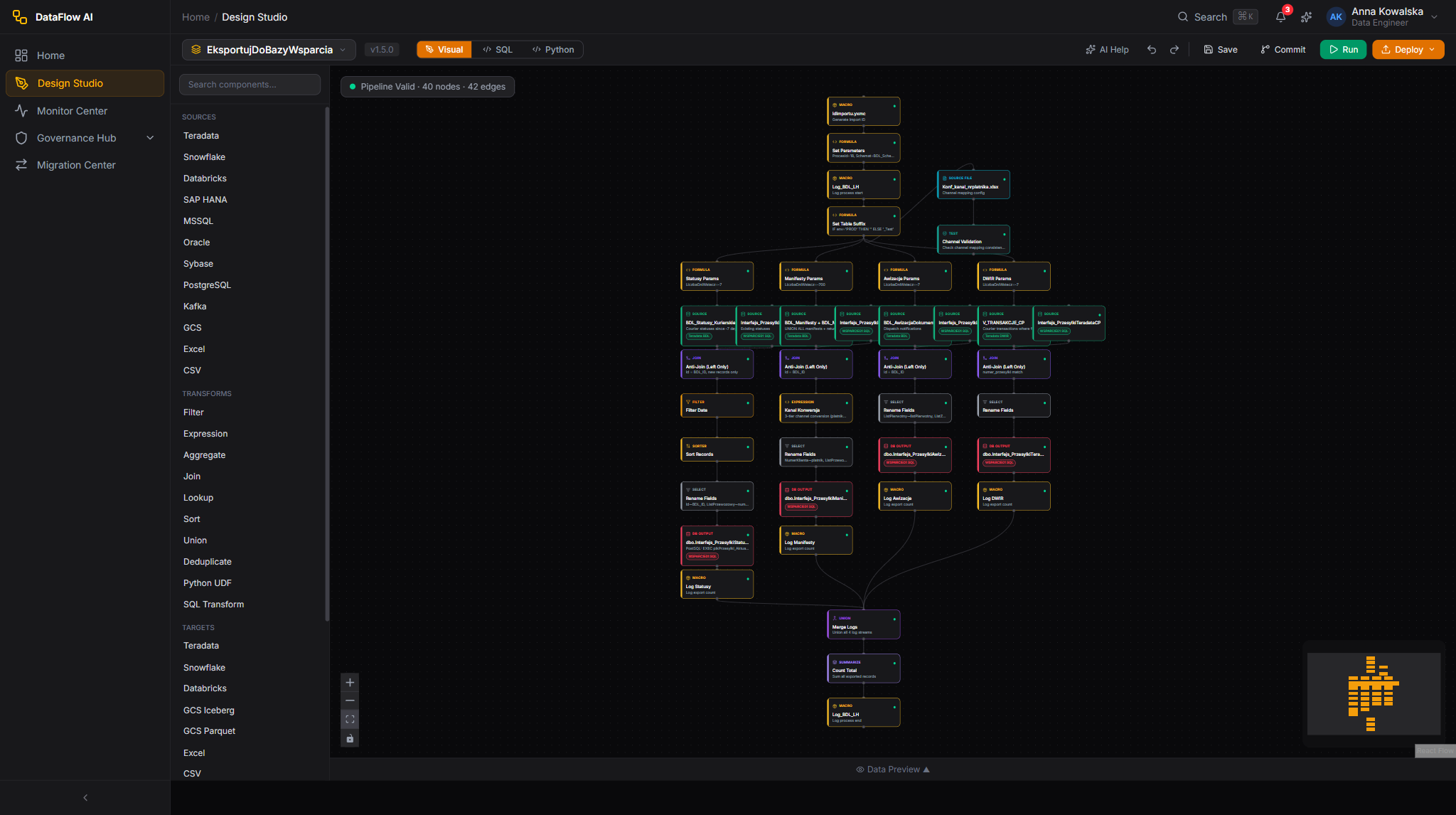
Marek imports this YAML into a DataFlow AI workspace. From there the normal platform workflow takes over: the pipeline appears in the Design Studio as a visual diagram of boxes and arrows, where he can inspect it, set its real schedule (the workflow ran nightly, so he gives it a cron schedule), fill in the parameters and connections from Step 7, and save. Saving commits the pipeline to Git, so it is versioned from day one — something the old PowerCenter setup never had.
Step 9 — Verifying the results with a parallel run
Marek does not simply switch off the old workflow and trust the new one. The Polkomtel migration programme insists on a parallel run.
For a minimum of two weeks, both versions run side by side every night:
- The original
wf_SAP_Replikakeeps running in Informatica PowerCenter, exactly as before. - The new DataFlow AI pipeline runs against the same input data.
DataFlow AI's Parallel Run & Data Parity Validation then compares the two outputs across five dimensions:
- Exact row count — did both produce the same number of rows?
- Checksum — an MD5/SHA-256 fingerprint of all the data, to catch any difference.
- Column sampling — a random 1,000 rows compared column by column.
- Null counts — the count of empty values per column must match.
- Execution time — the new pipeline must finish within 2× the old one's time.
The tool produces a clear pass/fail report. The Polkomtel quality gate for a simple replication like this is an output-parity threshold of 99.5%–100%. Once wf_SAP_Replika clears that bar for the full two-week window, Marek gets sign-off, switches the schedule fully over to DataFlow AI, and the old PowerCenter workflow is retired.
In plain terms
A parallel run is like a learner driver and an instructor both holding a steering wheel for two weeks. Only once the new driver has proven they take exactly the same route, every time, does the instructor finally let go. If anything ever looks wrong, rolling back to the old workflow is a single configuration change.
The whole journey at a glance
Here is Marek's complete trip, from old van to new motorway, in one list:
- Export
wf_SAP_Replikafrom PowerCenter as an XML file (plus its.parmfile). - Upload the XML to the Migration Center's Import Wizard.
- The Migration Center parses the XML into a tool-neutral description.
- The Rule Engine converts each transformation into a DataFlow SQL node — by trusted rule, generic mapping, or AI assistant.
- Every node gets a confidence score; the 0.85 release gate decides
COMPLETEDversusFAILED. - Validation runs six independent safety checks.
- Marek reviews the migration report, checking the conversion source of each node.
- He downloads the converted YAML, imports it into a workspace, sets its schedule, parameters, and connections, and deploys it.
- A two-week parallel run proves the new pipeline matches the old one row-for-row, after which PowerCenter is retired.
Multiply that by 500-plus workflows — most of them, like wf_SAP_Replika, simple and 95%-automatic — and Polkomtel retires a $1.2M–$2M-per-year tool, moves to the cloud, and ends up owning a fully documented, version-controlled, modern data platform.
Frequently asked questions
Does the data move during a migration? No. Only the instructions (the recipe) move from PowerCenter to DataFlow AI. The source databases and target warehouse are untouched. The new pipeline reads and writes the same systems the old workflow did.
What happens if the AI assistant cannot be reached? If the AI model is unavailable — a bad key, a rate limit, an API error — the affected node's confidence is forced to 0.0 and it is marked as needing manual review. The job will then fail the 0.85 gate. This is deliberate: the engine never pretends an unreachable AI "succeeded."
Can I re-run a conversion? Yes. The Migration Center supports re-converting a job. In the current setup this re-validates the existing converted pipeline and re-applies the release gate rather than re-parsing the original file.
Why did my job say FAILED when nothing looks broken? FAILED in the Migration Center means "this needs a human" — the release gate tripped. The job's error message names the exact gate (low overall confidence, a low-confidence object, a custom_transform, or a validation issue) so you know precisely what to look at.
What about stored procedures? The body of a stored procedure is not migrated. The Migration Center can detect that a procedure is being called and produce a call node, but the procedure itself either stays on the source database or must be rewritten by hand — a known piece of manual work.